Key Takeaways
- The right website depends on the skill you’re working on, not a single “best” pick for everyone.
- Free options cover most core skills well; paid tools add depth once you know what you need.
- A simple three-website stack (input, output, reference) beats collecting ten tools you never open.
Choosing the best websites for learning English depends on what you need right now. BBC 6 Minute English is my top beginner listening pick. YouGlish is excellent for hearing real pronunciation. Cambridge Write & Improve gives useful writing feedback, while Anki works well for long-term vocabulary review.
I have a master’s degree in English translation and have spent years building my own language-learning systems while self-studying Japanese and Korean. That experience has made me especially interested in practical tools that independent learners can keep using beyond the first week.
Over time, I have tried dozens of websites, apps, podcasts, dictionaries, and AI tools. The same problem keeps appearing: learners collect resources faster than they use them.
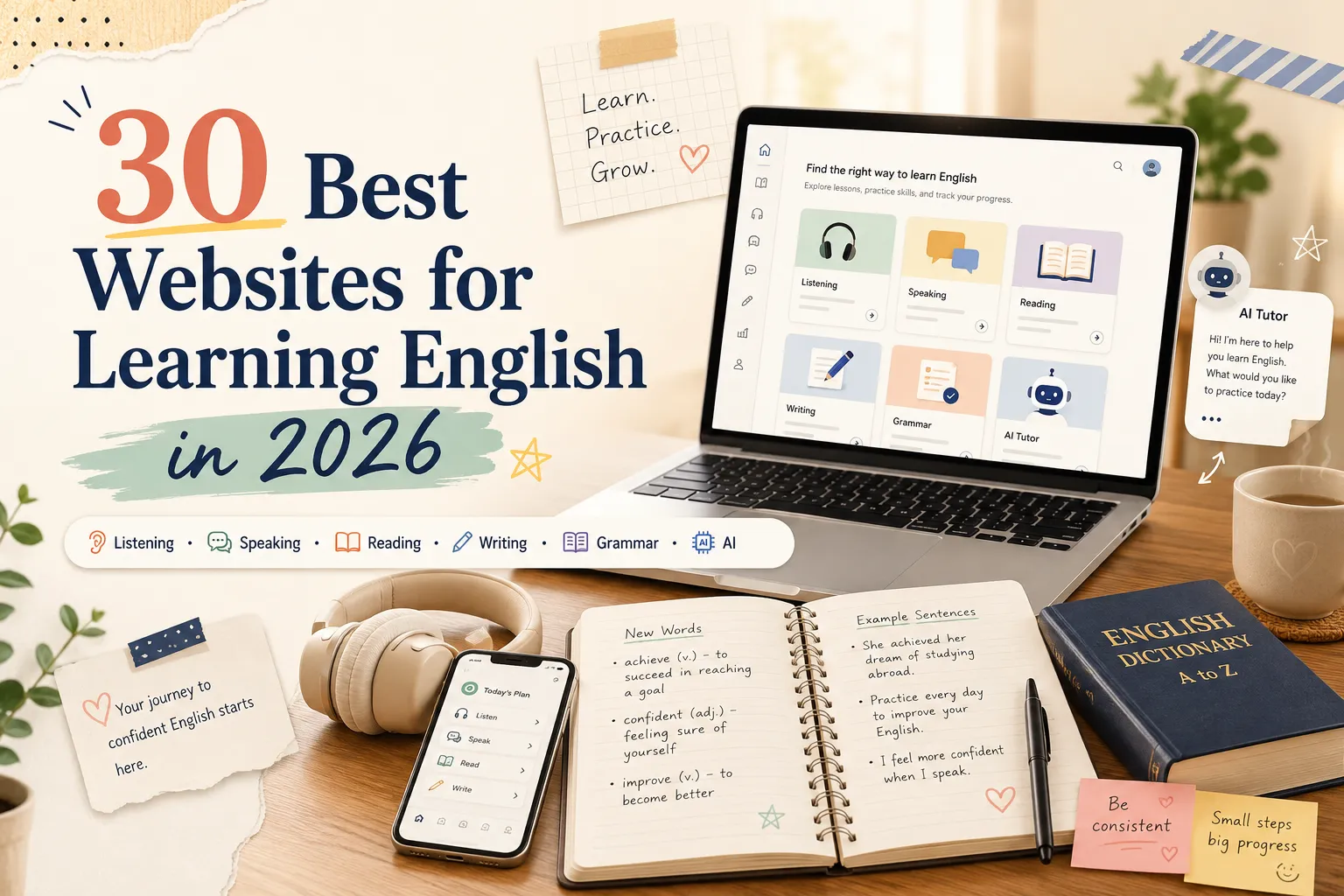
This guide narrows the options down to the best websites for learning English, 30 in total, each with a clear purpose. You will find free and paid choices for listening, speaking, reading, writing, grammar, vocabulary, exam practice, and AI-assisted learning.
⭐ My Top Picks at a Glance
| Goal | Best website | Level | Cost | Why it stands out |
|---|---|---|---|---|
| 🎧 Beginner listening | BBC 6 Minute English | A2–B1 | Free | Short episodes with transcripts |
| 🔊 Natural pronunciation | YouGlish | All levels | Free | Real clips from different speakers |
| 🗣️ Speaking feedback | ELSA Speak | A2+ | Free / Paid | Detailed pronunciation feedback |
| 📰 Learner-friendly reading | Breaking News English | A1–C1 | Free | The same news at several levels |
| ✍️ Writing feedback | Cambridge Write & Improve | B1+ | Free | Feedback linked to English levels |
| 🧩 Grammar practice | British Council LearnEnglish | A1–C1 | Free | Clear lessons with practice tasks |
| 🧠 Vocabulary review | Anki | All levels | Free / Paid | Flexible spaced repetition |
| 📖 Vocabulary in context | Linguee | B1+ | Free | Real bilingual examples |
| 🎙️ Advanced input | The Economist | C1–C2 | Paid | Compact, precise editorial writing |
| 🤖 AI language analysis | Claude | B1+ | Free / Paid | Detailed wording and translation feedback |
How I Selected These Websites?
I did not choose websites based on popularity alone. Each resource had to do a specific job well and fit into a realistic study routine.
Some have been part of my own learning and content workflow for years. For the rest, I reviewed the current public learning flow, free access, feedback tools, transcripts, and usage limits in August 2026. I did not count a polished homepage as proof that a resource was useful.
I looked for:
- A clear use case for a specific skill or level
- Enough useful content to try before paying
- Helpful feedback, transcripts, or real-language examples
- A format that can support regular practice
- A clear advantage over similar websites
- An active website that still feels useful in 2026
Build a Simple 30-Day English Learning Stack
You do not need ten websites at the same time. Start with three:
- One input website for listening or reading
- One output website for speaking or writing
- One reference website for vocabulary or grammar
Beginner stack
- Input: BBC 6 Minute English
- Output: ELSA Speak
- Reference: Oxford Learner’s Dictionaries
Intermediate stack
- Input: CNN 10 or All Ears English
- Output: Cambridge Write & Improve
- Reference: YouGlish or Linguee
Advanced stack
- Input: The Economist or This American Life
- Output: Claude for writing and translation comparison
- Reference: Oxford Learner’s Dictionaries and Linguee
Use the same stack for 30 days. Add another website only when your current tools no longer cover a real learning need.
Best Websites for English Listening
The best listening website should match your current speed. Beginner resources need clear speech and transcripts. Advanced learners need natural pacing, varied accents, and topics worth listening to.
1. BBC 6 Minute English
Best for: A2–B1 learners building a daily listening habit
Cost: Free
Each episode is short enough to repeat, and the current lesson pages include the target vocabulary, a transcript, and a worksheet. That makes it easy to move from casual listening to a complete mini-study session without opening several tools.
Try this: Listen once without reading. Use the worksheet on the second listen, then explain the topic in three English sentences.
Keep in mind: The published transcript is not always word for word, and advanced learners may find the delivery too controlled for native-speed practice.
2. CNN 10
Best for: B1–B2 learners who want English and current affairs in one routine
Cost: Free
CNN describes CNN 10 as a daily news show for students aged 13 and above, as well as anyone who wants global news in ten minutes or less. The video footage gives you context when you miss a phrase, which makes it easier to follow than an audio-only news bulletin.
Try this: Write three headlines after watching, then retell one story without replaying the video.
Keep in mind: It is a news program, not a structured ESL course. You do not get graded vocabulary lists or exercises after each episode.
3. All Ears English
Best for: B1–C1 learners focused on natural American conversation
Cost: Free / Paid
All Ears English is built around “real English” for social, workplace, and everyday situations. The podcast covers small talk, idioms, cultural expectations, and phrases that help intermediate learners sound less textbook-like. The website also separates paid fluency courses by B1, B2, and C1 level.
Try this: Pick one expression from an episode and use it in a voice note about your own life.
Keep in mind: The homepage now leads heavily with paid courses. If you only want the free podcast, the podcast feed is often easier to navigate than the main site.
4. Luke’s English Podcast
Best for: B2–C1 learners who enjoy British English, humor, and long-form listening
Cost: Free / Paid
Luke’s archive now contains more than 900 free episodes, and many recent episode pages include downloadable audio and PDF transcripts. The paid series goes further with vocabulary, grammar, pronunciation lessons, and worksheets. What makes the free show useful is the amount of unscripted conversation, storytelling, and British cultural context.
Try this: Choose one ten-minute section and shadow it sentence by sentence instead of trying to finish a full episode.
Keep in mind: Episodes are often long, and transcript coverage varies across the archive. The premium material is aimed at intermediate and advanced learners, not beginners.
5. This American Life
Best for: C1–C2 learners ready for native storytelling and varied voices
Cost: Free / Paid support
This is one of the resources I return to for advanced input. The episode pages offer full transcripts, and some pages let you follow the audio alongside the text. You hear interviews, narration, hesitation, humor, and emotional storytelling rather than carefully graded learner English.
Try this: Listen to one story without reading. Then use the transcript to mark the lines you missed and replay only those sections.
Keep in mind: The transcripts are produced with speech recognition plus human transcription and may contain errors. The stories also move between speakers and accents quickly, so this is not a gentle first step into native audio.
Best Websites for English Speaking and Pronunciation
Speaking websites work best when they give you a reason to produce language. Some focus on pronunciation. Others help you find a real partner or hear how native speakers say a phrase.
6. ELSA Speak
Best for: A2–C1 learners who want specific pronunciation feedback
Cost: Free / Paid
ELSA gives feedback on individual sounds, stress, and intonation instead of showing only a single pronunciation score. The current product also includes role-plays, a speech analyzer, and level information connected to frameworks such as CEFR and IELTS. This makes it more useful when you know you sound unclear but cannot identify the exact problem.
Try this: Practise one sound for five minutes, then record the same sentence in your phone and compare it with your first attempt.
Keep in mind: The free version lets you test the system, but full lesson access and higher usage are paid. Automated pronunciation scores are useful signals, not a complete judgment of natural communication.
7. YouGlish
Best for: Any learner checking real pronunciation, stress, and phrasing
Cost: Free
Type a word or phrase and YouGlish jumps to real video clips that contain it. Beyond accent filters, you can narrow English searches by word class, topic, question form, and other details. I use it when dictionary audio is too isolated and I want to hear how stress changes inside a full sentence.
Try this: Listen to five examples of the same phrase. Copy the stress and rhythm, not only the individual sounds.
Keep in mind: Search quality depends on the phrase. Some clips begin too far before the target line, and you may need to skip several examples before finding a clean one.
8. Rachel’s English
Best for: B1–C1 learners working on American pronunciation
Cost: Free / Paid
The free library contains hundreds of videos on American sounds, mouth position, linking, rhythm, and listening. Many lessons show the mouth close up or slow down connected speech, and the website groups videos by sounds, accent, conversation, and listening. The paid Academy adds drills, live classes, and teacher feedback.
Try this: Choose one short lesson, practise with a mirror, and record the target phrase before and after the video.
Keep in mind: The teaching is strongly focused on American pronunciation. Learners who want broad accent exposure should combine it with YouGlish or native media.
9. Tandem
Best for: B1+ learners who want regular one-to-one language exchange
Cost: Free / Paid
Tandem combines partner discovery with text, audio messages, calls, in-chat corrections, translation, and pronunciation tools. The correction interface is especially useful because a partner can rewrite part of your message and explain the change without breaking the conversation.
Try this: Suggest a 30-minute exchange: 15 minutes in English, then 15 minutes in your partner’s target language.
Keep in mind: The quality of the practice depends heavily on the partner you find. Free in-app translations are also limited, while unlimited translations and advanced filters are Pro features.
10. HelloTalk
Best for: A2+ learners who prefer short posts, messages, and community corrections
Cost: Free / Paid
HelloTalk feels more like a language-learning social network than a course. Its Moments feed lets you post text, photos, or voice notes and receive corrections from native speakers. The app also includes one-to-one chat, voice rooms, live streams, pronunciation help, and built-in translation.
Try this: Post three sentences about your day. Save the best corrections and rewrite the post the next morning.
Keep in mind: The public feed is useful for low-pressure practice, but it can also become another social feed to scroll. It suits learners who enjoy community interaction more than those who want a fixed curriculum.
Best Websites for Learning English Through Reading and News
Reading websites should give you useful language at the right difficulty. Learner news is easier to enter. Native publications give advanced learners richer vocabulary, argument, and style.
11. Breaking News English
Best for: A1–C1 learners who want graded news and a large exercise bank
Cost: Free
Breaking News English publishes lessons across seven levels. A full lesson can include multi-speed listening, scrolled reading, dictation, quizzes, mini handouts, and a long printable PDF. Few free sites give you this much material around one short news story.
Try this: Read one level comfortably, then compare it with the next level and highlight the extra vocabulary.
Keep in mind: The amount of material can be overwhelming. Do not try to complete every activity; choose one reading task, one listening task, and one speaking or writing task.
12. Engoo Daily News
Best for: A2–C1 learners who want a short daily article with audio and discussion prompts
Cost: Free
Each Daily News lesson introduces key vocabulary before the article and finishes with discussion questions. The current audio player offers several speeds, from 0.5x to 2x, with sentence highlighting as the audio plays. That makes it useful for both independent study and tutor-led conversation.
Try this: Read the article, answer two discussion questions aloud, and use one new word in each answer.
Keep in mind: The AI audio is clear and adjustable, but it is not a substitute for varied human voices and natural hesitation.
13. The Guardian
Best for: B2–C2 learners moving into native news, features, and opinion writing
Cost: Free
The Guardian covers news, culture, science, books, lifestyle, and opinion in many different styles. It is especially useful for collecting real collocations and seeing how journalists frame arguments. Most website articles remain accessible, although regular visitors may be asked to sign in or support the publication.
Try this: Read one article for meaning first. On the second pass, save only three phrases you could use in your own writing.
Keep in mind: This is native journalism with no learner glosses, level labels, or exercises. The app and ad-free experience also have paid options.
14. The Economist
Best for: C1–C2 learners interested in precise writing, current affairs, or exam preparation
Cost: Paid
A digital subscription includes full articles, the weekly edition, narrated stories, podcasts, newsletters, videos, and archive access. The writing is compact and demanding, with strong verbs, compressed comparisons, and repeated topic vocabulary across politics, business, science, and society.
Try this: Rewrite one paragraph in simpler English, then compare what meaning, attitude, or rhythm was lost.
Keep in mind: The paywall is real, and the style is formal and editorial. It should not be your only source for everyday spoken English.
Best Websites for English Writing
Writing tools should help you notice patterns in your mistakes. A correction is most useful when you understand why it was made and can apply the lesson next time.
15. Hemingway Editor
Best for: B1–C2 learners who write sentences that are too long or dense
Cost: Free / Paid
The free web editor gives you a readability grade, word count, reading time, and color-coded warnings for difficult sentences and common style problems. The paid Plus version adds grammar checking and AI rewrites. The free version is already useful when your main problem is clarity rather than grammar.
Try this: Revise only the red and yellow sentences. Keep your original meaning instead of accepting every suggestion automatically.
Keep in mind: Hemingway rewards shorter, simpler writing. That is helpful for clarity, but it can flatten deliberate style if you treat every highlight as an error.
16. Grammarly
Best for: B1+ learners who want real-time help with everyday writing
Cost: Free / Paid
Grammarly works across its editor, browser extensions, desktop tools, and mobile apps. The free plan covers core grammar, spelling, punctuation, and a limited number of suggestions, while advanced rewrites, tone adjustments, plagiarism checks, and broader AI features sit in paid plans.
Try this: Keep a weekly list of repeated corrections. Review the pattern instead of fixing each sentence and forgetting it.
Keep in mind: A grammatically correct suggestion can still change your intended tone or meaning. Read the revised sentence aloud before accepting it.
17. Write & Improve
Best for: B1–C1 learners who want structured writing practice and CEFR-linked feedback
Cost: Free / Paid exam zone
Write & Improve contains hundreds of tasks across beginner, intermediate, advanced, business, and informal categories. It gives automated word- and sentence-level feedback, a CEFR-based level estimate, and a progress graph so you can revise the same task and see whether the result improves.
Try this: Submit a short response, revise it once, and note the two changes that improved the feedback most.
Keep in mind: The feedback is automated. It is good at revealing patterns and encouraging revision, but it cannot fully judge originality, argument quality, or whether a sentence sounds exactly like you intended.
Best Websites for Learning English Grammar
Grammar websites are most useful when they combine a short explanation with immediate practice. Avoid reading ten pages of rules without producing your own examples.
18. British Council LearnEnglish Grammar
Best for: A1–C1 learners who want level-based grammar lessons with practice
Cost: Free
The grammar section is organized by CEFR level. A typical lesson asks you to test what you know, read a short explanation with examples, and then complete another interactive exercise. That test–explain–test sequence is more useful than reading a grammar rule without checking whether you can apply it.
Try this: Complete one lesson, then write three true sentences about your own life using the target structure.
19. Perfect English Grammar
Best for: A2–C1 learners who want a direct explanation and printable practice for one grammar problem
Cost: Free / Paid
Perfect English Grammar is easy to use when you already know the topic that confuses you. Many pages combine concise explanations with online exercises and free downloadable PDFs. The paid membership adds structured courses, videos, assessments, and a larger PDF library.
Try this: Finish one exercise, close the page, and create two new examples without copying the model sentences.
Keep in mind: It works best as a targeted problem-solver. Learners who need a full syllabus should use the structured courses or a level-based resource such as British Council LearnEnglish.
20. Cambridge Dictionary Grammar
Best for: B1–C2 learners checking grammar, usage, register, and confusing contrasts
Cost: Free
Cambridge Grammar contains more than 500 topics and thousands of examples drawn from the Cambridge English Corpus. It is particularly strong on differences such as formal versus informal English, spoken versus written usage, British versus American forms, and easily confused words.
Try this: Search the exact contrast that confuses you, such as “say or tell,” then write one example for each form.
Keep in mind: This is a reference library, not a step-by-step course. Most entries explain usage well but do not give you a full practice sequence.
Best Websites for Learning English Vocabulary
Vocabulary websites serve different jobs. Dictionaries explain meaning. Context tools show usage. Flashcard systems help you retrieve a word later.
21. Anki
Best for: Learners who want a long-term, personal spaced-repetition system
Cost: Free on desktop and web · Paid official iOS app
Anki gives you control over card design, review timing, media, and syncing. The desktop app and AnkiWeb synchronization are free, while the official iPhone app is paid and helps fund development. It works best when cards come from your own reading, listening, and mistakes rather than a random giant deck.
Try this: Create one card with the phrase, one natural sentence, and a prompt that makes you recall the phrase actively.
Keep in mind: The setup can feel unfriendly at first, and poorly designed cards create tedious reviews.
22. Quizlet
Best for: Students who want quick setup, ready-made sets, and visual study modes
Cost: Free / Paid
Quizlet is easier to start with than Anki. Flashcards remain simple, and Learn mode mixes question types based on how well you know a set. The free plan lets you sample the core experience, but full access to personalized Learn and Test modes, ad-free study, and several AI features is paid.
Try this: Check a ready-made set before using it. Remove inaccurate or irrelevant cards, then add examples from your own class.
Keep in mind: Public sets vary widely in quality. A popular deck can still contain poor definitions or unnatural example sentences.
23. Linguee
Best for: B1–C2 learners checking formal collocations and bilingual usage
Cost: Free
Linguee places a dictionary result beside bilingual examples drawn from translated documents. It is especially useful for seeing which nouns follow a verb and how a phrase appears in legal, institutional, technical, or professional contexts.
Try this: Search a full phrase rather than one word. Compare several examples before deciding that a translation is natural.
Keep in mind: Many examples are labelled “external sources” and are not reviewed by Linguee. Treat them as evidence to compare, not a final answer.
24. Oxford Learner’s Dictionaries
Best for: All levels looking up meaning, CEFR level, pronunciation, and common usage
Cost: Free
The complete A–Z dictionary is available online with learner-friendly definitions, examples, usage notes, and British and American audio. The Oxford 3000, Oxford 5000, and Oxford Phrase List are aligned to CEFR levels, which makes the site useful both for quick lookup and long-term vocabulary planning.
Try this: Read the English definition before checking a translation. Then save one common collocation or phrase, not every example on the page.
Best AI Websites for Learning English
AI tools are flexible practice partners. Their value depends on the task you give them. Use them for interaction, feedback, and examples, then verify important usage with a reliable dictionary or real corpus.
25. ChatGPT
Best for: All levels practising conversation, roleplays, explanations, and everyday writing
Cost: Free / Paid
ChatGPT is the easiest all-purpose AI option in this list. Voice conversations make it practical for roleplay and speaking rehearsal, while Study Mode can guide you with questions, explanations, quizzes, and step-by-step review instead of immediately giving a final answer. The free plan includes these tools with usage limits.
Try this: Ask it to roleplay one realistic situation, correct only your three most important mistakes, and make you try the sentence again.
Keep in mind: Study Mode and voice can still make mistakes. Verify vocabulary, grammar claims, and exam advice with a reliable source.
26. Claude
Best for: B1–C2 learners who want detailed writing analysis and translation comparison
Cost: Free / Paid
Claude is my preferred option when I want a careful explanation of why one version sounds more natural than another. It handles long passages and uploaded documents well, which is useful for comparing your translation with a revised version or tracing repeated problems across a piece of writing.
Try this: Submit your own translation first. Ask for a comparison that separates grammar errors, unnatural phrasing, and differences in tone.
Keep in mind: The free plan has usage limits, and Projects and research features vary by plan. Like any AI tool, Claude can produce a polished explanation that is still wrong.
27. Gemini
Best for: Learners who use Google products, YouTube, and uploaded study material
Cost: Free / Paid
Gemini’s learning tools can create guided explanations, quizzes, flashcards, and practice tasks from files, images, and YouTube links. This is the clearest reason to choose it over another general chatbot: you can give it a video link and ask it to turn the content into a study activity.
Try this: Add one short YouTube video and ask for a five-question quiz, a vocabulary list, and one speaking task based only on that video.
Keep in mind: You need to sign in, and some learning tools or higher file limits depend on region and plan.
Best Websites for English Tests and Daily Practice
These websites work well when you need a defined task, a daily habit, or practice connected to a formal exam.
28. Cambridge English Learning
Best for: Learners who want short official activities, level checks, or Cambridge exam preparation
Cost: Free
Cambridge currently offers around 175 free activities that can be filtered by skill, CEFR level, and time needed. You can also find sample tests, exam guides, vocabulary lists, and links to Write & Improve. The time filter is surprisingly useful when you only have five or ten minutes.
Try this: Filter by your level and choose one timed activity. Review every wrong answer and write down why the distractor looked correct.
Keep in mind: The resource library is broad rather than linear. You need to choose your own sequence instead of following one complete course.
29. Duolingo
Best for: Beginners who need help starting and maintaining a daily study habit
Cost: Free / Paid
Duolingo keeps the full course path available for free and uses short lessons, reminders, streaks, and personalized practice to make returning easy. Paid plans remove ads and add convenience features, while some advanced AI roleplay tools sit in higher tiers.
Try this: Use it for ten minutes, then spend another ten minutes listening or speaking. Treat it as the habit trigger, not the whole learning plan.
Keep in mind: It is very easy to protect a streak without doing enough difficult output. A long streak shows consistency, not automatically fluency.
30. Daily Dictation
Best for: A1–C1 learners improving listening accuracy, spelling, and sound recognition
Cost: Free
The site breaks audio into short listen-and-type sections and lets you reveal the full audio and transcript after checking your answer. Exercises range from basic conversations and short stories to news and YouTube clips, with downloadable audio available for some collections.
Try this: Replay each missed phrase, identify whether the problem was vocabulary, sound linking, or attention, then repeat the full sentence aloud.
Keep in mind: Some CEFR labels are generated with ChatGPT, so treat the level as an approximate guide rather than an official assessment.
Frequently Asked Questions
What is the best website for learning English?
There is no single best website for every skill. BBC 6 Minute English is a strong beginner listening choice, YouGlish is excellent for pronunciation, Write & Improve is useful for writing, and Oxford Learner’s Dictionaries is the best all-round reference in this guide.
What are the best free websites for learning English?
BBC 6 Minute English, YouGlish, Breaking News English, British Council LearnEnglish, Oxford Learner’s Dictionaries, Cambridge English Learning, and Daily Dictation all offer useful free learning material.
Which English learning websites are best for beginners?
A simple beginner set is BBC 6 Minute English for listening, Duolingo for daily habit, ELSA Speak for pronunciation, and Oxford Learner’s Dictionaries for vocabulary. Start with two or three, not all four at once.
Can I become fluent using English learning websites?
Websites can provide input, feedback, structure, and practice. Fluency also requires regular output and real communication. Use websites to support a routine that includes listening, speaking, reading, and writing.
How many English learning websites should I use at once?
Start with three: one input resource, one output tool, and one reference website. Use them consistently for 30 days before adding another option.
Final Recommendation
Choose the website that solves your current problem, not the one with the longest feature list.
For most learners, a balanced starting stack is:
- BBC 6 Minute English for input
- ELSA Speak or Write & Improve for output
- Oxford Learner’s Dictionaries for reference
Use that stack for 30 days. For a more structured routine, try these AI prompts for English speaking practice and use the dictionary alongside a system that helps you turn passive words into active vocabulary.
Keep the resources that lead to real practice, and remove the ones you only open to maintain a streak.