Key Takeaways
- AI miniature photos often fail when the subject is unclear, the scale feels wrong, or the shadows are missing.
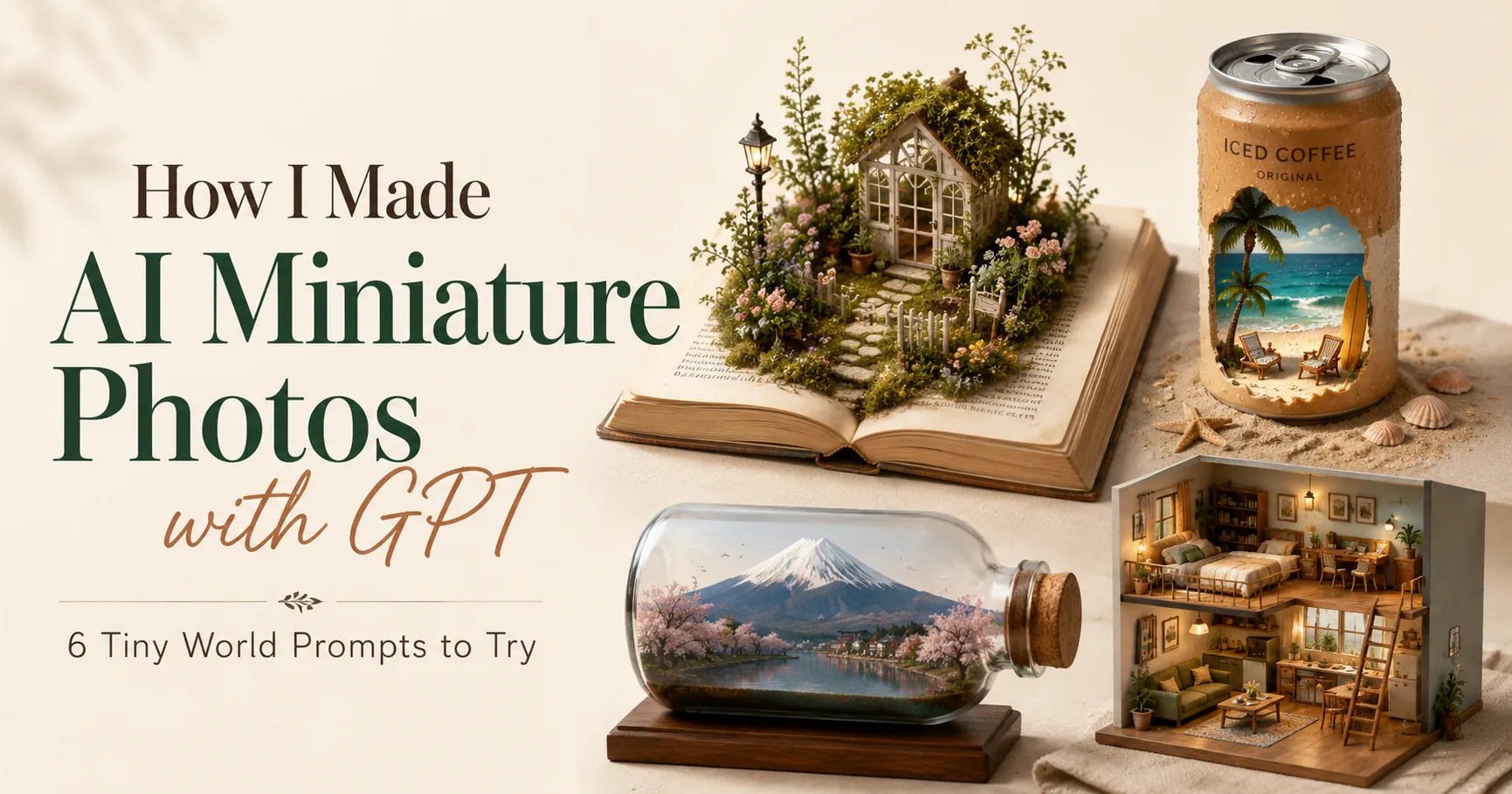
- This guide gives you 6 tested AI miniature photo ideas for portraits, coffee, baby photos, rooms, travel shots, and product images.
- Start with one clear photo, upload it as a reference in Pixelcut Generate, paste a focused prompt, then check the shape, label, shadows, and motion.
The first time I saw an AI miniature photo, I genuinely thought it was a real macro shoot. It reminded me of the miniature scenes I had seen on Bored Panda, from AI-made tiny people interacting with daily objects to real macro photography of little worlds.
Tiny people were working around everyday objects. A coffee cup looked like a tiny café. A travel photo became a glass-bottle world. A product shot turned into a small commercial set.
So I tried making my own version.
I did not start with perfect studio images. I tested normal photos: a portrait, a coffee cup, a baby photo, a bedroom, a travel landscape, and a product photo.
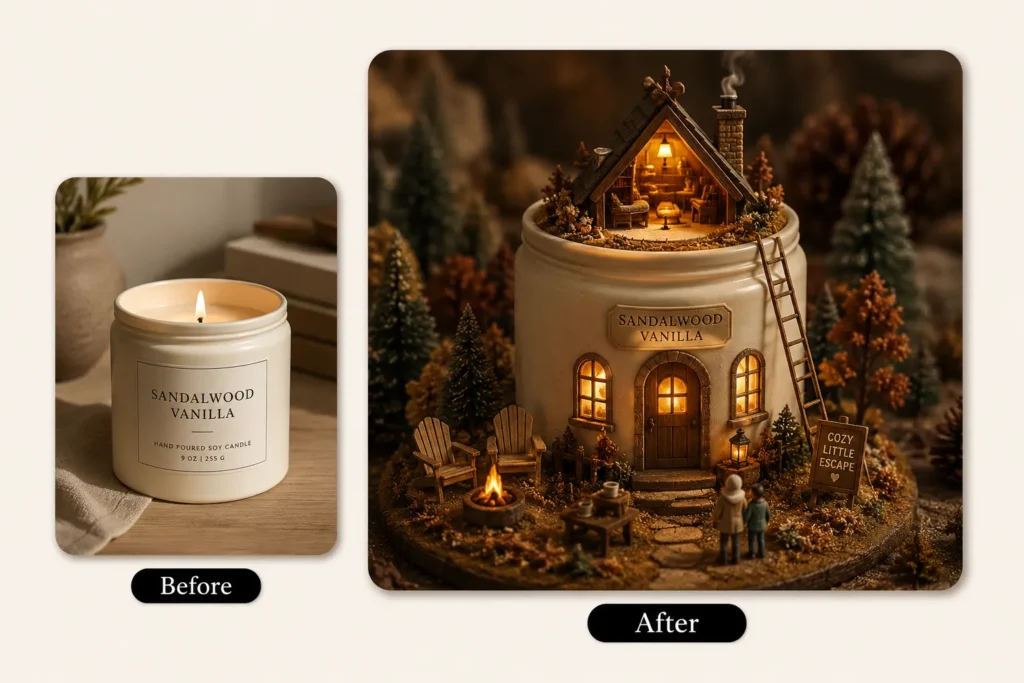
Some results looked fake. The scale was wrong. The shadows were missing. The subject looked pasted on. But six prompt styles worked well enough to save, and one tool covered the whole process from prompt to finished video.
In this guide, I’ll share the AI miniature photo prompts that worked for me, the tool I used to test them, and a step-by-step process for turning a single photo into a finished miniature image and a short video.
Quick Preview
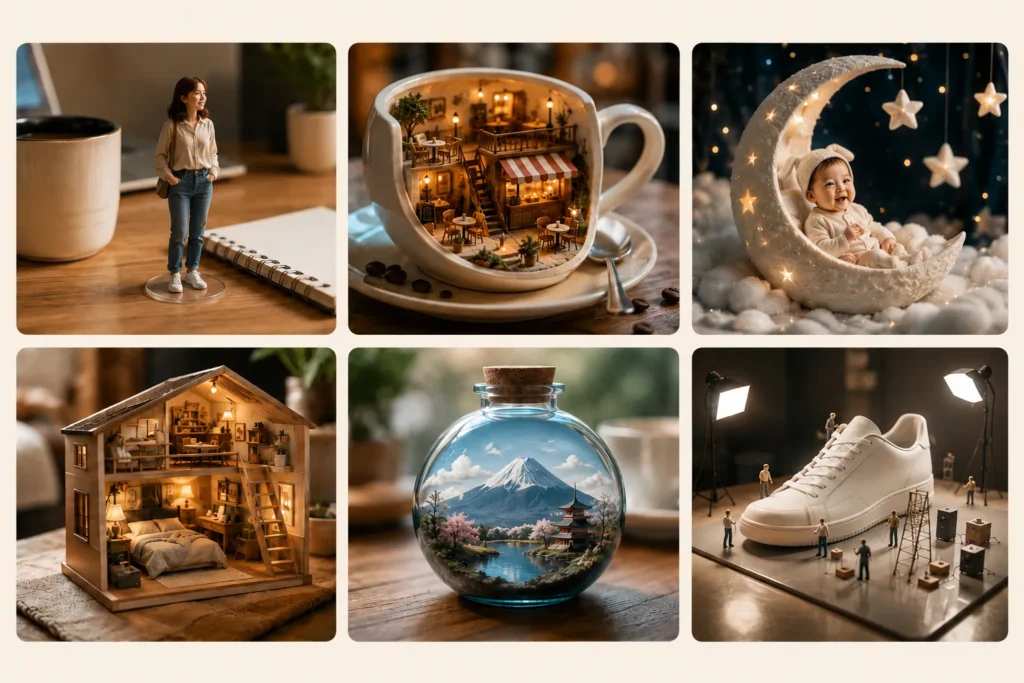
| Original Photo | Miniature Idea | Best For |
|---|---|---|
| Portrait photo | Tiny figure on a desk | Selfies, profile photos, outfit photos |
| Coffee photo | Tiny café world | Coffee, dessert, café table shots |
| Baby photo | Moon cradle miniature | Baby portraits, family keepsakes |
| Bedroom photo | Dollhouse diorama | Room photos, home decor images |
| Travel photo | Glass bottle world | Landmarks, landscapes, city memories |
| Product photo | Miniature product boutique | Product visuals, Etsy, Instagram, campaign ideas |
What Is an AI Miniature Photo?
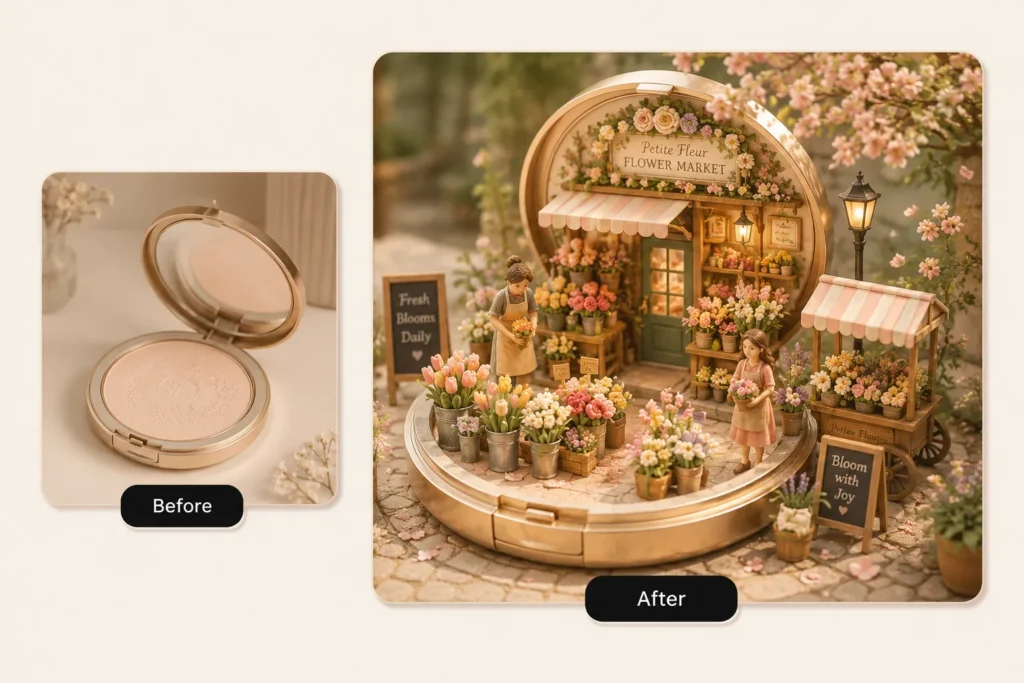
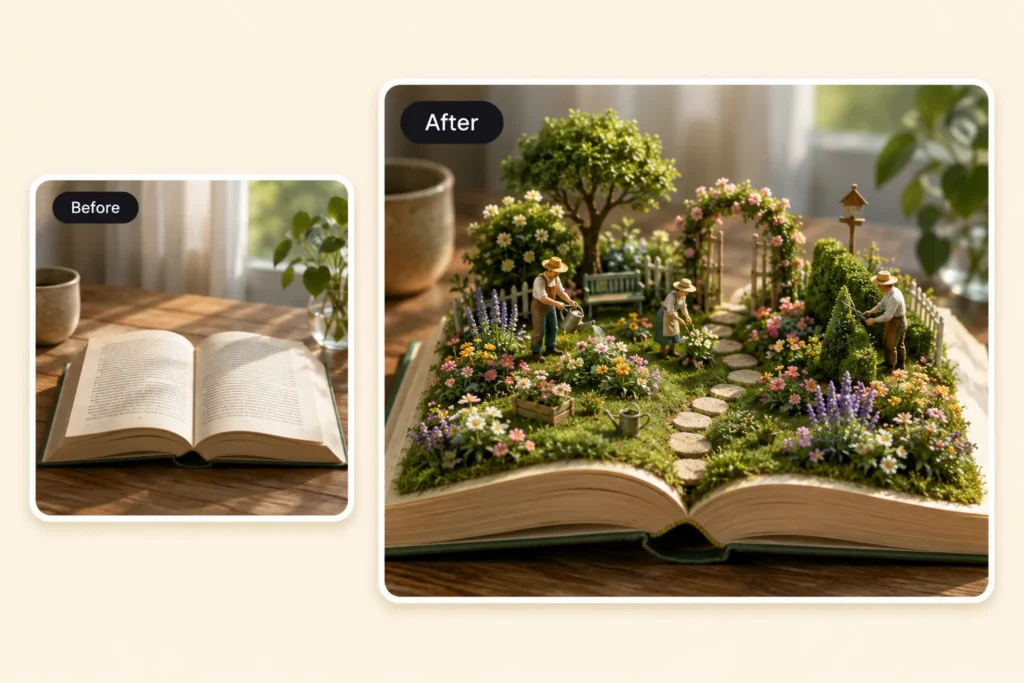
An AI miniature photo turns a normal image into a tiny world.
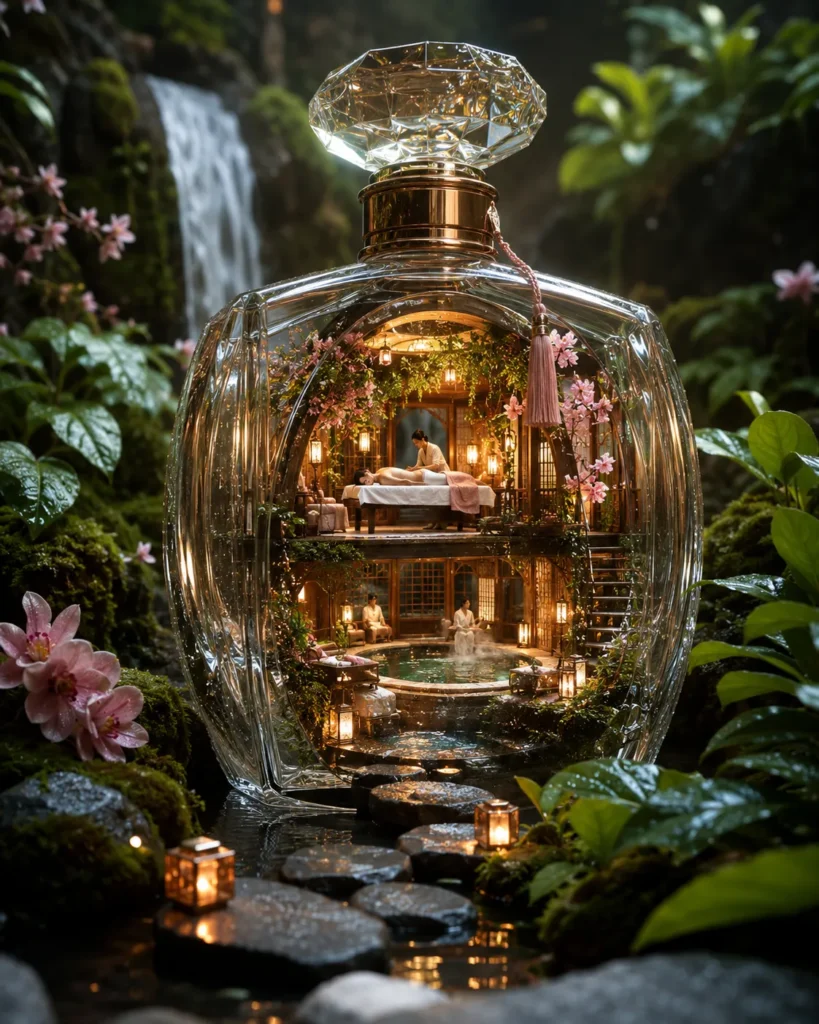
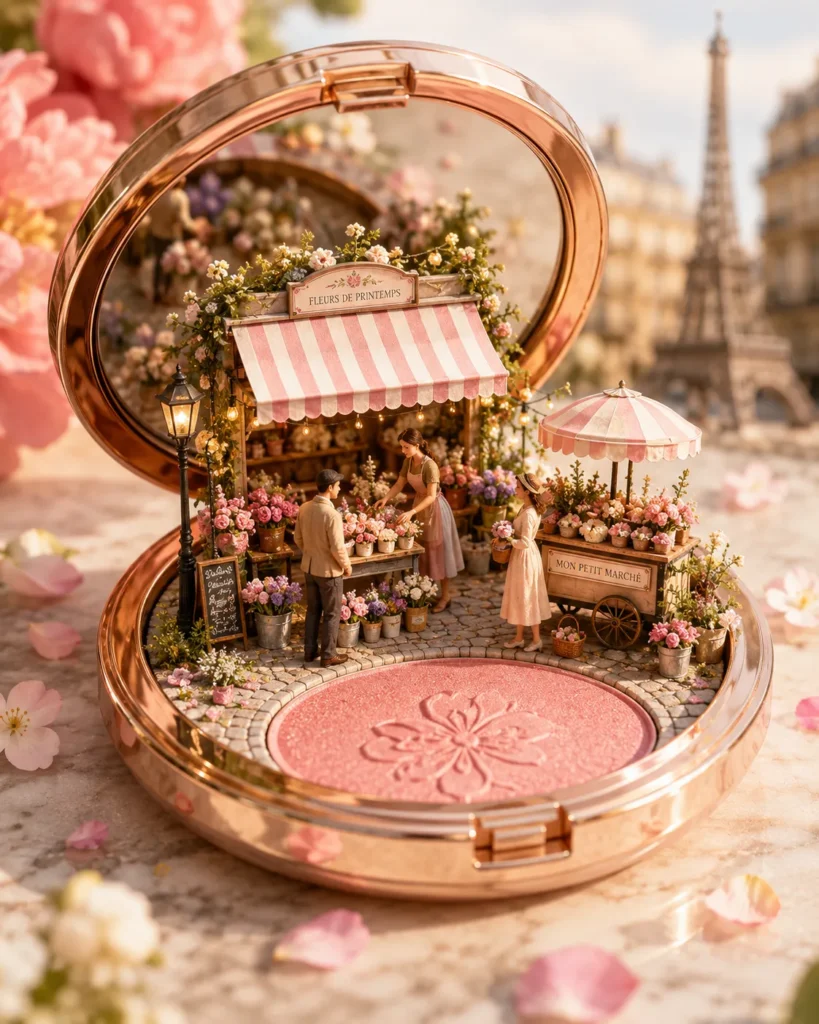
It can look like a diorama, dollhouse, collectible figurine, terrarium, glass bottle scene, tiny café, or miniature product set.
This is different from adding a blur filter. A good AI miniature result rebuilds the photo with a new sense of scale. It may add tiny props, small people, handmade textures, realistic lighting, contact shadows, glass reflections, and soft background depth.
The key is not to ask the AI to “make this miniature.”
The key is to describe the tiny world you want.
Instead of writing:
Make this product miniature.
Write:
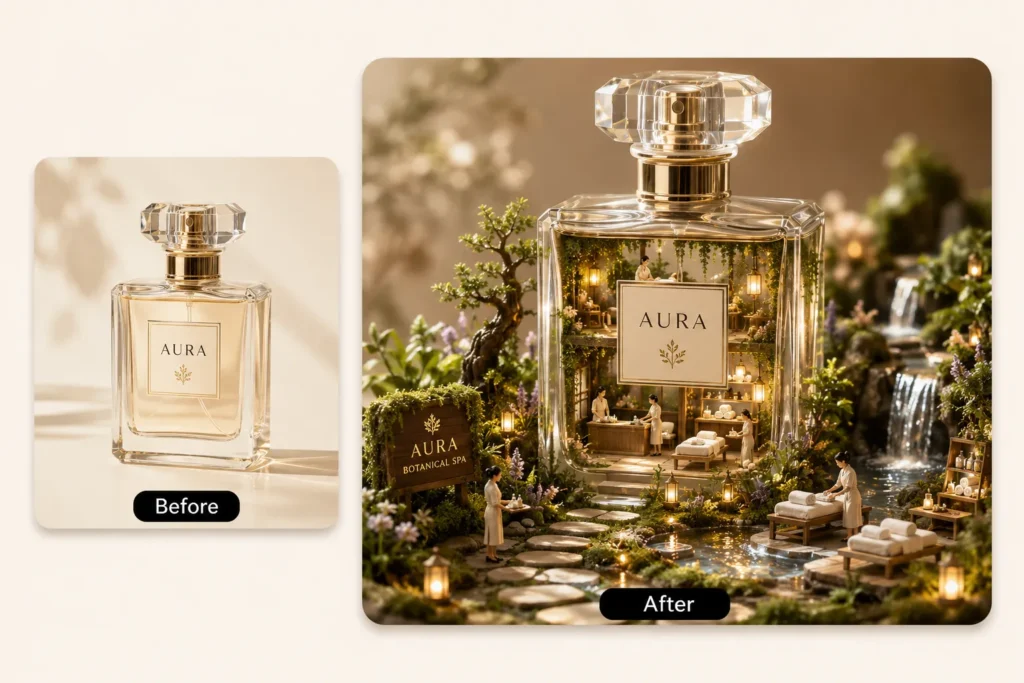
Turn this perfume bottle into a miniature luxury perfume boutique. Keep the original bottle shape and label visible. Add tiny glass windows, warm lights, display shelves, tiny people, flowers, marble steps, macro photography, and realistic contact shadows.
That gives the AI a scene, a scale, and a visual direction.
How to Make an AI Miniature Photo?
For this demo, I used Pixelcut Generate because it lets me upload a reference image and write a detailed image prompt in the same workflow.
Disclosure: This post may contain affiliate links. If you try Pixelcut through my link, I may earn a small commission at no extra cost to you.
Step 1: Open Pixelcut Generate
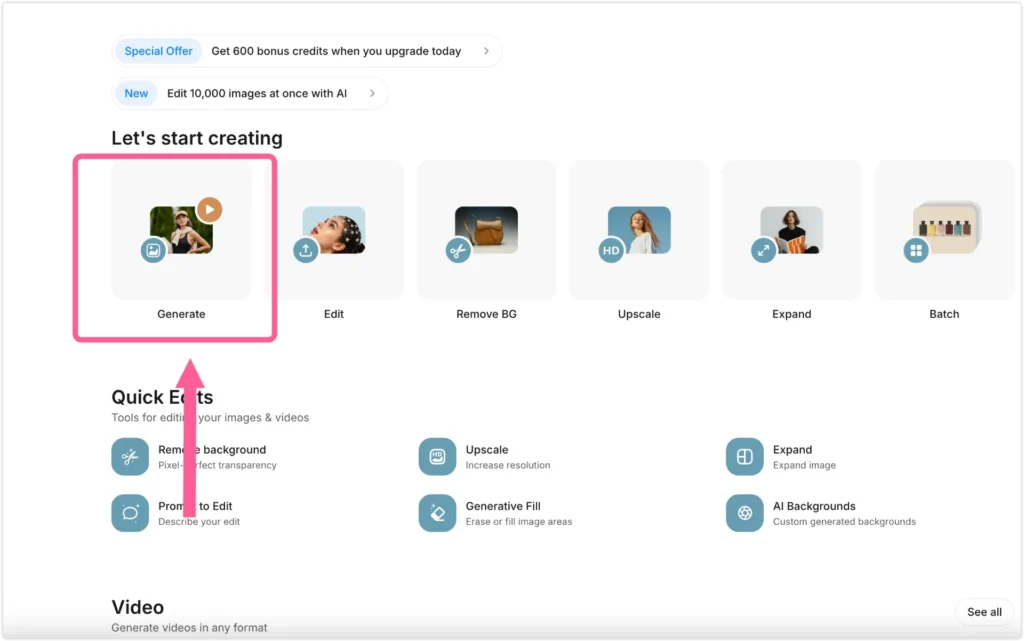
Open Pixelcut and click Generate.
This is where you can create a new image from a prompt and a reference photo.
Step 2: Upload Your Original Photo as a Reference
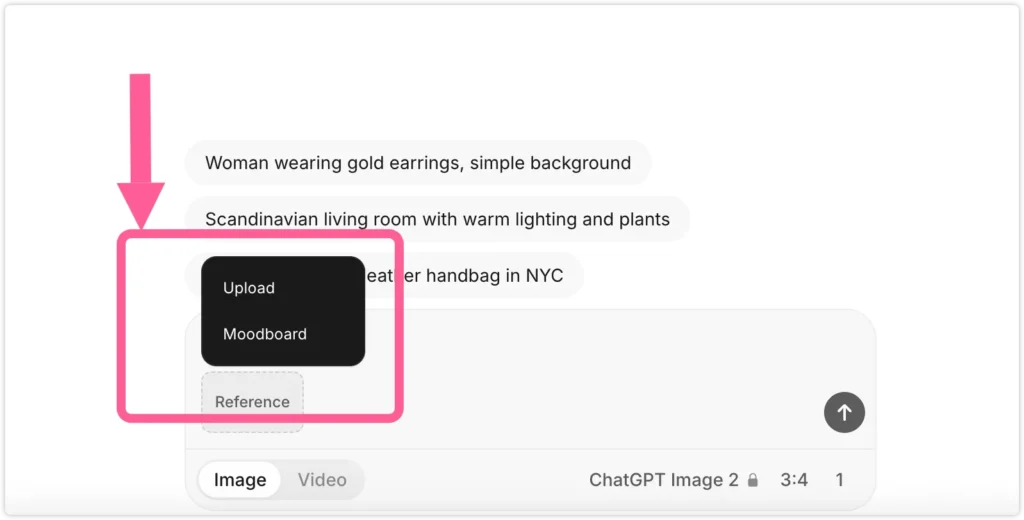
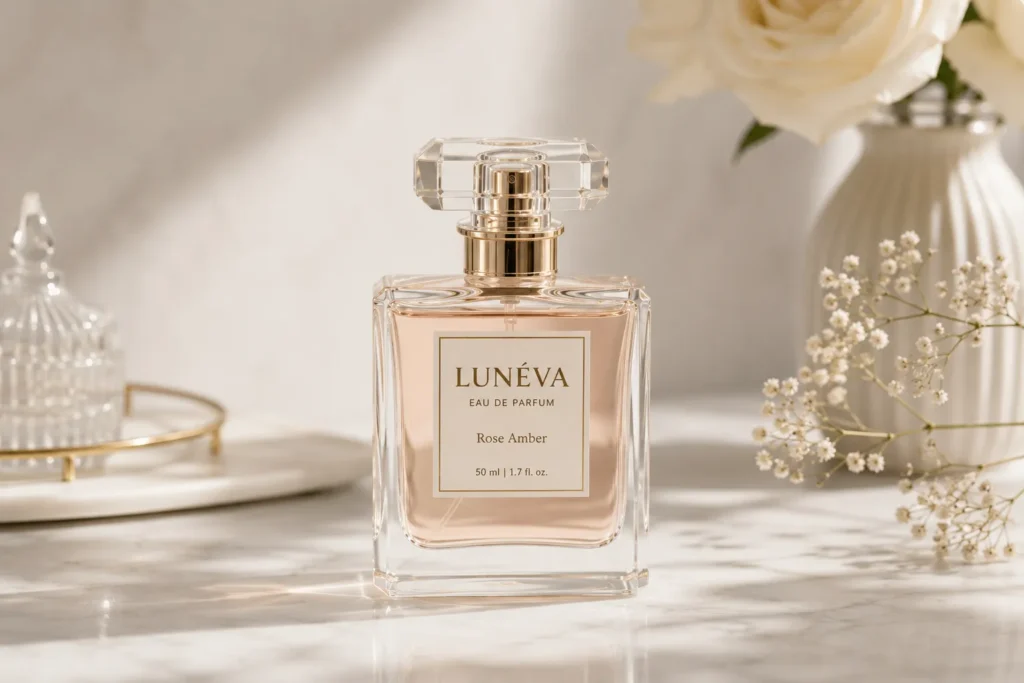
Upload a clear photo with one main subject.
For this demo, I used a fictional perfume bottle labeled:
LUNÉVA
EAU DE PARFUM
Rose Amber
A product photo works well because the shape is clear, the label gives the AI a reference point, and the bottle can become the main structure of the miniature scene.
Step 3: Paste the Miniature Prompt
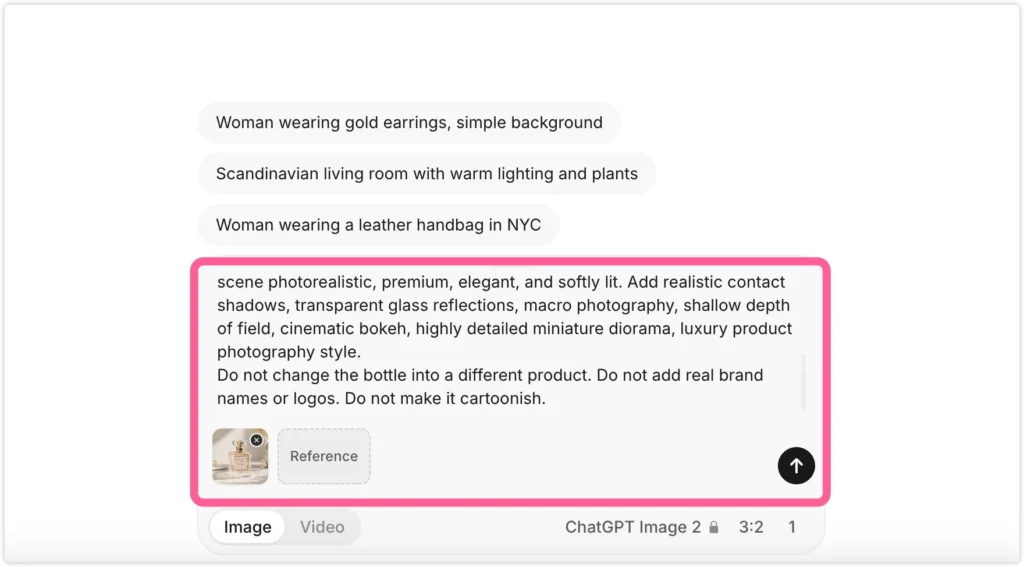
Now paste your AI miniature prompt.
A good prompt should tell the AI two things:
- What should stay the same.
- What tiny world should be built around it.
For products, always describe the shape, material, label, color, and main structure first. This helps prevent the AI from changing the product too much.
For the perfume bottle demo, copy this prompt:
Turn this perfume bottle into a miniature luxury perfume boutique.

Keep the original bottle shape, glass material, gold cap, pale pink liquid, and front label visible. Use the bottle as the main building structure. Transform the lower part of the bottle into an elegant tiny boutique storefront with arched glass windows, a small entrance, warm golden interior lighting, miniature perfume display shelves, tiny people shopping inside, tiny people standing outside, small flower arrangements, marble steps, and delicate boutique details.

Keep the fictional label text visible: LUNÉVA, EAU DE PARFUM, Rose Amber. Make the scene photorealistic, premium, elegant, and softly lit. Add realistic contact shadows, transparent glass reflections, macro photography, shallow depth of field, cinematic bokeh, highly detailed miniature diorama, and luxury product photography style.

Do not turn the bottle into a different product. Do not add real brand names, real logos, or extra readable text. Do not make it cartoonish.
Step 4: Generate the AI Miniature Result
After generating, check the result carefully.
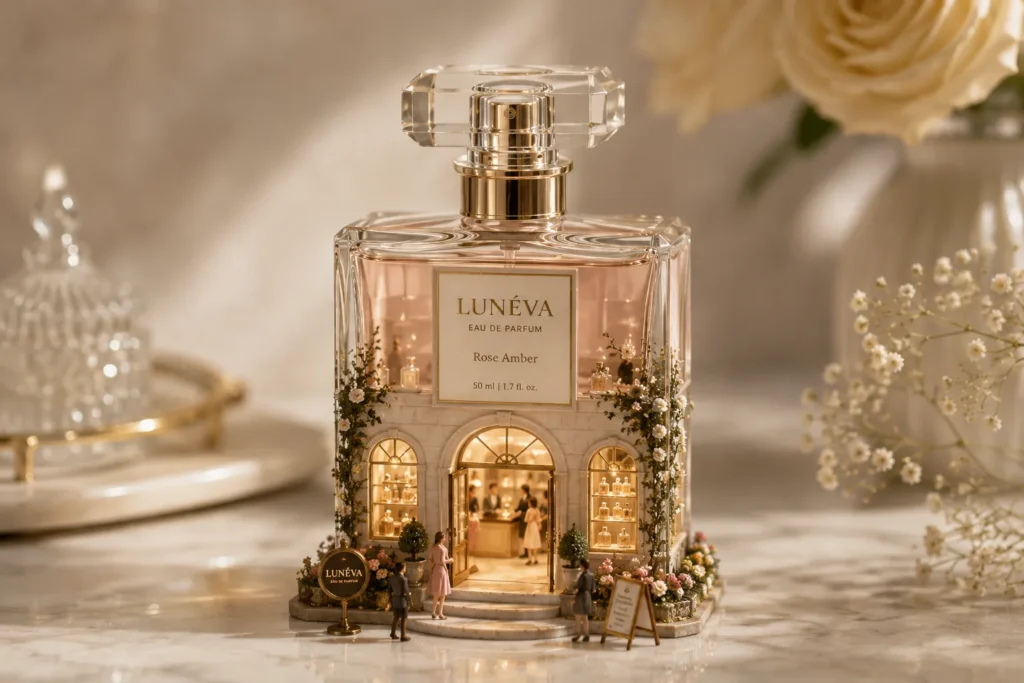
Look at:
- product shape
- label placement
- lighting
- shadows
- glass reflections
- tiny people
- scale
- background blur
If the product looks pasted on, add “realistic contact shadows.”
If the product shape changes, add “preserve the original product shape.”
If the scene feels too busy, add “simple composition, fewer props.”
Step 5: Turn the Miniature Image Into a Video
After you get a good miniature image, you can turn it into a short product-style video.
Switch to the Video tab, upload the finished miniature image as the starting frame, choose an available image-to-video model, and paste a motion prompt.
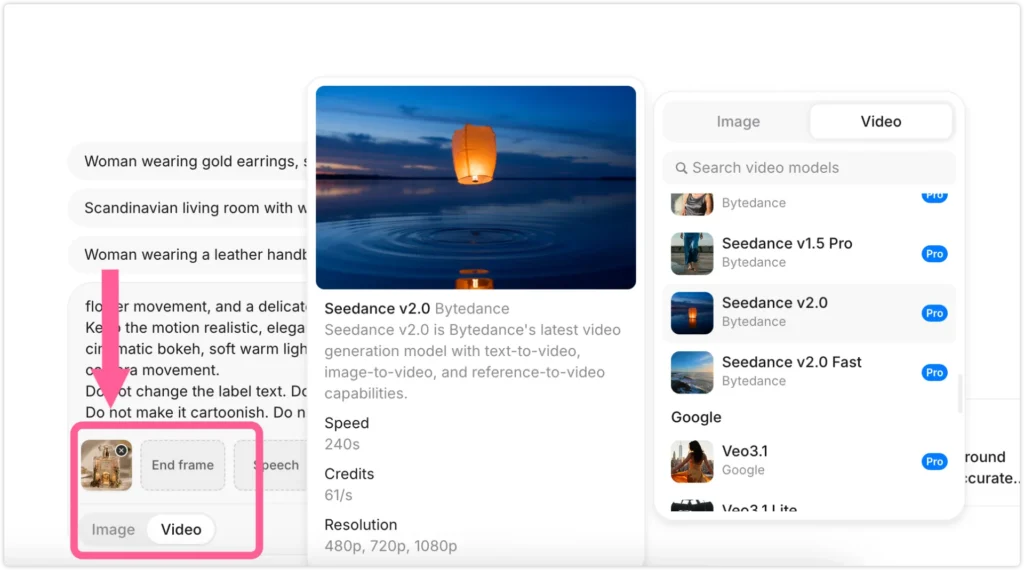
For this perfume boutique example, I used a 10-second video because it gives the scene enough time to feel like a small product commercial: the lights can turn on, the door can open slightly, the glass can catch a soft reflection, and the tiny people can move naturally.
Recommended settings:
| Setting | Recommendation |
|---|---|
| Duration | 10s |
| Aspect ratio | Auto or 4:3 |
| Resolution | 720p or 1080p |
| Audio | Off |
Video tip:
The first test may not animate the whole miniature scene. In my test, the model only moved one clear person outside the boutique, while the people inside the glass windows stayed almost still.
That makes sense: image-to-video models often animate the clearest object first. If the interior people are tiny, behind glass, or partly hidden by reflections, the model may treat them like background details.
To fix this, put the most important product constraint first, then clearly tell the model that both the indoor and outdoor tiny people should move. Also describe the boutique actions one by one: lights turning on, door opening, display shelves glowing, glass reflections moving, flowers swaying, and fragrance-like particles drifting out.
Copy this 10-second image-to-video prompt:
Do not distort the bottle shape.
Keep the original perfume bottle silhouette, glass body, gold cap, pale pink liquid, and front label unchanged.
Keep the fictional label text LUNÉVA, EAU DE PARFUM, and Rose Amber consistent and readable.
Do not redesign the boutique structure or turn the bottle into a different product.

Animate this miniature luxury perfume boutique scene into a 10-second cinematic perfume commercial.
Use the uploaded image as the starting frame.
Keep the bottle, label, glass structure, boutique storefront, arched windows, marble steps, flowers, perfume shelves, and tiny people consistent.

Important: both the interior people and the exterior people must move visibly.
Do not keep the people static.
Do not make only one outside person move.
Distribute the motion across the scene so the boutique feels alive.

Start with a slow macro camera push-in toward the boutique entrance and front windows.

Animate the people clearly:
Inside the boutique, one tiny staff member walks slowly behind the front window.
One tiny staff member reaches toward the miniature perfume display shelf and adjusts a bottle.
One tiny customer near the counter shifts position gently.
Outside the boutique, one tiny person walks slowly toward the entrance.
One tiny person pauses near the window display.
One tiny person gently adjusts the flower arrangement near the storefront.

Animate the environment:
The boutique window lights turn on gradually, section by section.
The front door opens slightly and naturally.
The miniature perfume display shelves glow softly.
A soft golden light sweeps from left to right across the front label.
A gentle glass reflection sweep moves across the bottle surface and gold cap.
The shadows on the marble steps and near the tiny people shift subtly with the changing light.
The flowers move gently.
Delicate fragrance-like particles drift softly out from the entrance.

End with a clean hero product shot:
the bottle centered,
the label readable,
the boutique windows glowing warmly,
the door slightly open,
the perfume shelves illuminated,
tiny people still visible inside and outside,
and the glass softly sparkling.

Keep the motion elegant, realistic, subtle, premium, and ad-like.
Use macro product cinematography, shallow depth of field, cinematic bokeh, soft warm lighting, photorealistic details, smooth camera movement, realistic moving reflections, realistic shifting shadows, and natural miniature-scale motion.

Do not add new logos or extra readable text.
Do not make it cartoonish.
Do not overanimate the scene.
Do not make the people move too fast.
Why This Prompt Works?
This prompt works because it does not only describe a pretty image.
It gives the AI a clear structure:
| Prompt Detail | Why It Helps |
|---|---|
| Keep the original bottle shape | Prevents the product from changing too much |
| Glass material, gold cap, pale pink liquid | Preserves recognizable product details |
| Use the bottle as the main building structure | Connects the miniature scene to the original object |
| Arched windows and small entrance | Makes the boutique idea visible |
| Realistic contact shadows | Helps tiny objects feel grounded |
| Macro photography and shallow depth of field | Makes the scene feel physically small |
| Do not add real logos | Avoids unwanted brand text |
What Kind of Photos Work Best?
AI miniature photos work best when the original image has one clear subject.
Here are the easiest photo types to try first.
| Photo Type | Works Well For | Why It Works |
|---|---|---|
| Clear portrait | Desk figurine, tiny character scene | The AI can preserve the face and outfit more accurately |
| Coffee or dessert photo | Tiny café, food diorama, bakery world | Cups and desserts already look good at macro scale |
| Baby portrait | Moon cradle, cloud scene, nursery diorama | Soft lighting and simple backgrounds create a sweet result |
| Room interior | Dollhouse, tiny room model | The room layout can become a small handmade set |
| Travel landmark | Glass bottle, snow globe, terrarium | A strong landmark anchors the tiny world |
| Product photo | Boutique, pop-up store, ad scene | Clean product shapes are easy to rebuild into commercial visuals |
Avoid dark, blurry, crowded, or flat images.
One person works better than a group photo.
One product works better than a messy shelf.
One clear landmark works better than a busy street.
That is the pattern.
6 AI Miniature Photo Prompts I Tried
1. Tiny Figure on a Desk
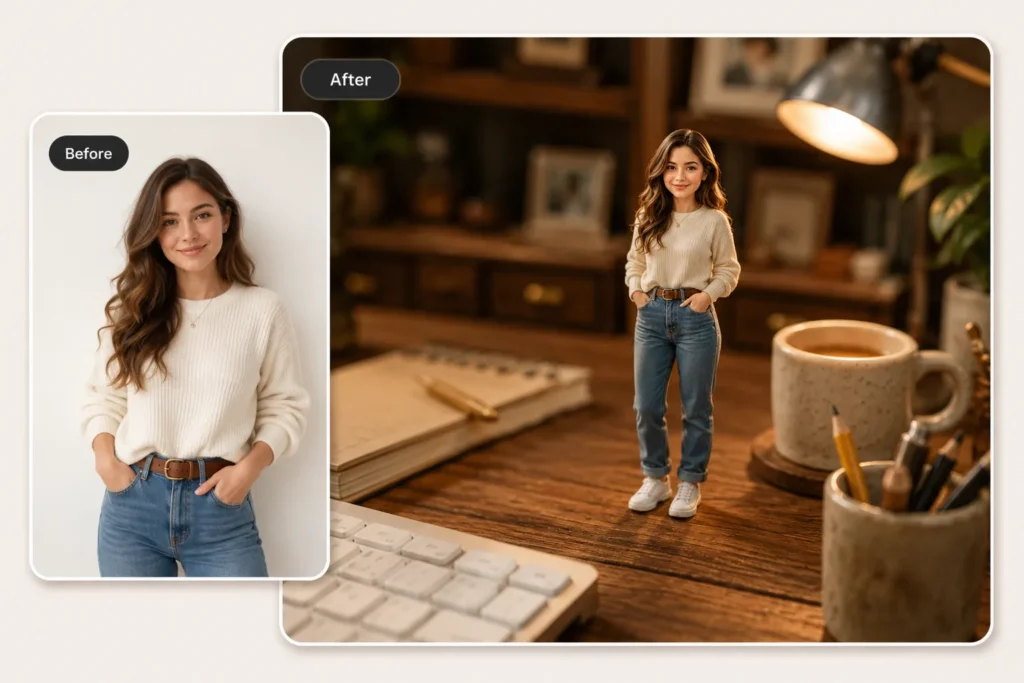
Best for: portraits, outfit photos, simple selfies, creator profile photos
This prompt turns a person into a tiny collectible figure standing on a desk.
It works best when the original photo has a clear face, hairstyle, outfit, and body shape. A full-body or upper-body photo usually gives the AI more information to preserve.
Prompt to try:
Turn the person in this photo into a tiny realistic collectible figurine standing on a wooden desk, surrounded by a ceramic coffee mug, an open notebook, and a pencil cup with pens.

Keep the person's face, hairstyle, outfit, and proportions recognizable. Add realistic contact shadows under the feet, warm ambient lamp light, macro photography, shallow depth of field, soft bokeh background with blurred bookshelves, highly detailed miniature figurine, and photorealistic details.
Small tip:
If the face changes too much, add:
Keep the original face recognizable. Preserve the hairstyle, expression, and outfit.
2. Tiny Café World
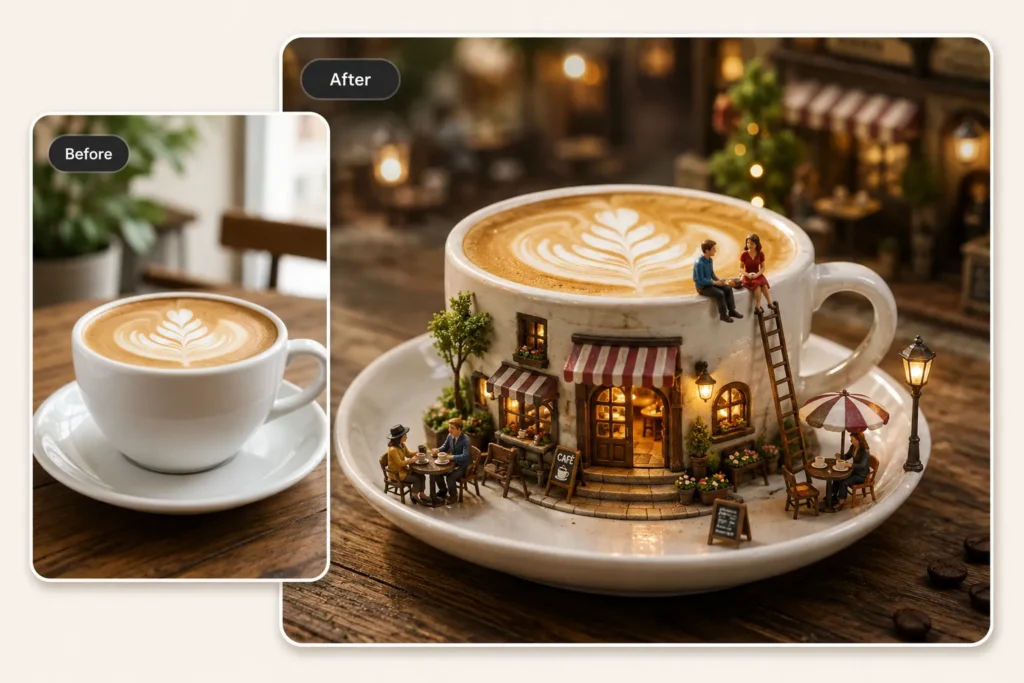
Best for: coffee photos, latte photos, dessert photos, café table shots
Coffee photos are some of the easiest images to turn into miniature worlds.
The cup already has a clear shape. The table gives the AI a ground surface. The rim of the cup can become a balcony, terrace, or tiny café roof.
Prompt to try:
Turn this coffee cup into a tiny café world.

Build a miniature café around the white ceramic cup, with a striped awning above the entrance, tiny outdoor tables, small people sitting near the rim, fairy lights, hanging lanterns, and a cobblestone base.

Keep the original cup shape visible. Add warm evening glow, macro photography, shallow depth of field, realistic miniature diorama, highly detailed textures, cinematic bokeh background, and photorealistic details.
Small tip:
This works best when the table surface is visible. The AI can use the table as the ground for the miniature scene.
3. Moon Cradle Baby Miniature
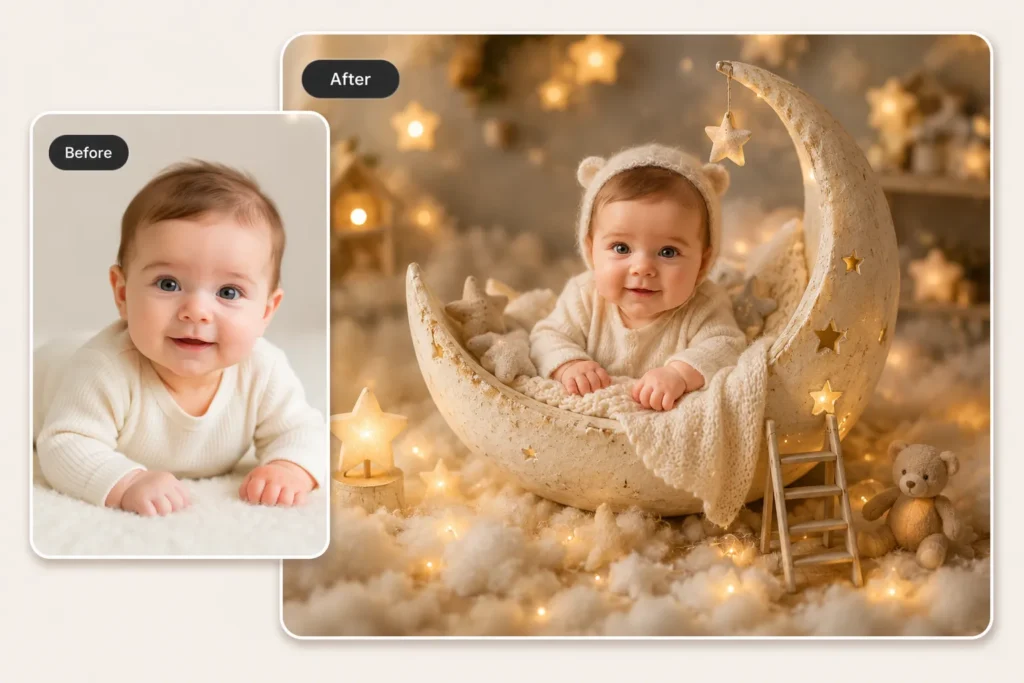
Best for: baby portraits, family keepsakes, soft nursery-style edits
This prompt turns a baby photo into a dreamy miniature nursery scene.
It is softer than the product or café prompts, so the best approach is to keep the scene simple and warm.
Prompt to try:
Place the baby from this photo into a magical miniature nursery scene.

The baby is sitting in a crescent moon cradle, surrounded by glowing gold stars, soft fluffy clouds on the floor, a tiny wooden ladder leaning against the moon, and a small teddy bear nearby.

Keep the baby's face, expression, and outfit recognizable. Use warm golden fairy lights, soft dreamy lighting, shallow depth of field, cozy nursery aesthetic, photorealistic baby features, and a magical miniature diorama style.
Small tip:
Do not add too many fantasy objects. Too many stars, clouds, toys, ribbons, and lights can make the result crowded.
4. Cozy Bedroom to Dollhouse Diorama
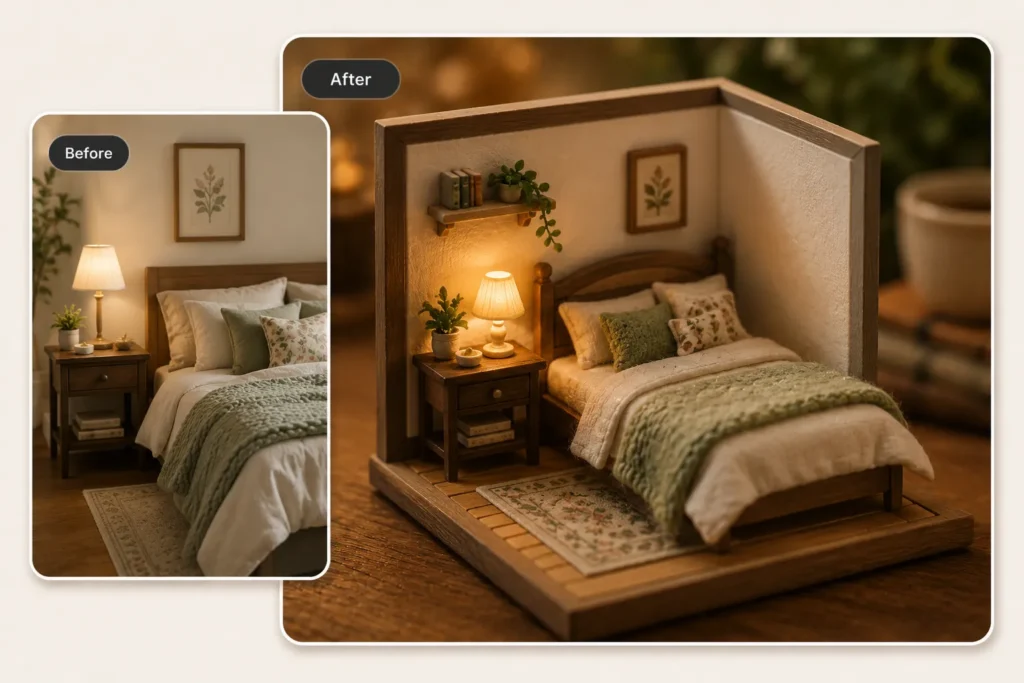
Best for: room photos, bedroom photos, home decor images
Interior photos can work beautifully because the AI already has a complete layout to shrink.
A bed, lamp, rug, plant, bookshelf, and wall art can all become tiny handmade details.
Prompt to try:
Turn this room into a miniature wooden dollhouse cutaway model.

Preserve the original room layout, including the wooden bed frame, blanket, bedside lamp, framed wall art, plants, bookshelf, and rug. Make everything look handcrafted at tiny scale.

Add warm interior lighting, realistic wood texture, macro photography, shallow depth of field, highly detailed miniature craftsmanship, cozy home diorama, and photorealistic details.
Small tip:
Tidy rooms work better than cluttered rooms. If the room is too busy, the AI may invent too many details.
5. Travel Photo in a Glass Bottle
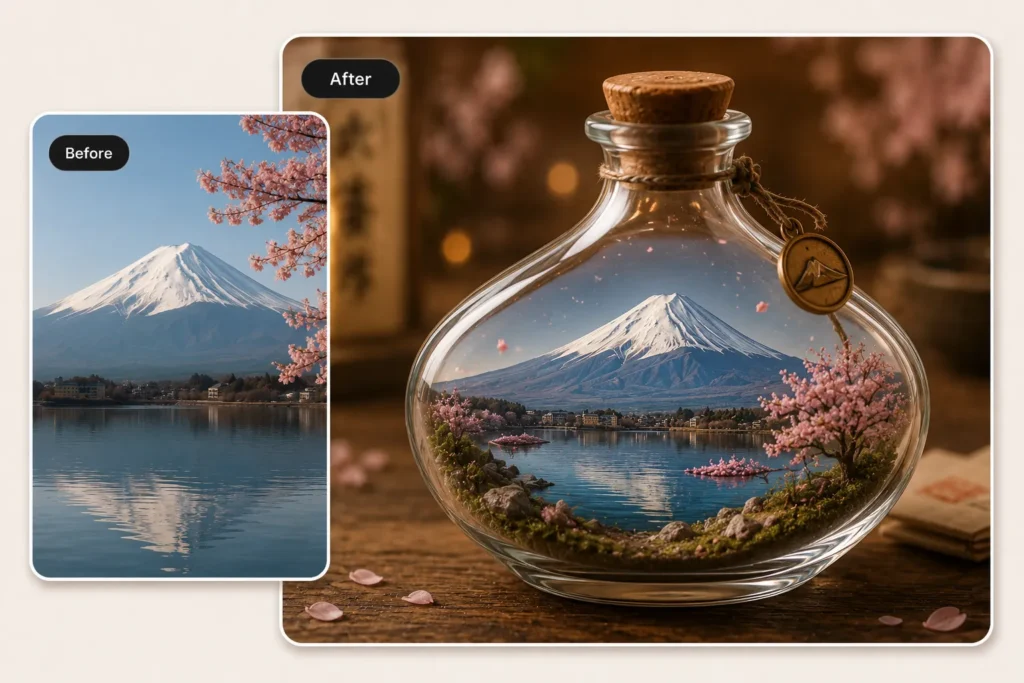
Best for: travel landmarks, mountains, skylines, temples, castles, bridges, city memories
Travel photos work well when there is one strong visual anchor.
A mountain, tower, bridge, temple, castle, or skyline can become the center of a miniature bottle world.
Prompt to try:
Turn this travel photo into a miniature landscape sealed inside a round glass bottle with a cork stopper.

Preserve the main landmark and natural scenery from the original photo. Add tiny moss, pebbles, falling petals, and a small bronze charm hanging from the bottle neck.

Place the bottle on a warm wooden table surface. Use transparent glass reflections, macro photography, shallow depth of field, cinematic bokeh background, photorealistic terrarium diorama, and highly detailed miniature landscape.
Small tip:
You can replace “glass bottle” with:
snow globe
glass capsule
terrarium
music box
Each version gives the same travel photo a different memory-object feeling.
6. Miniature Product Ad Scene
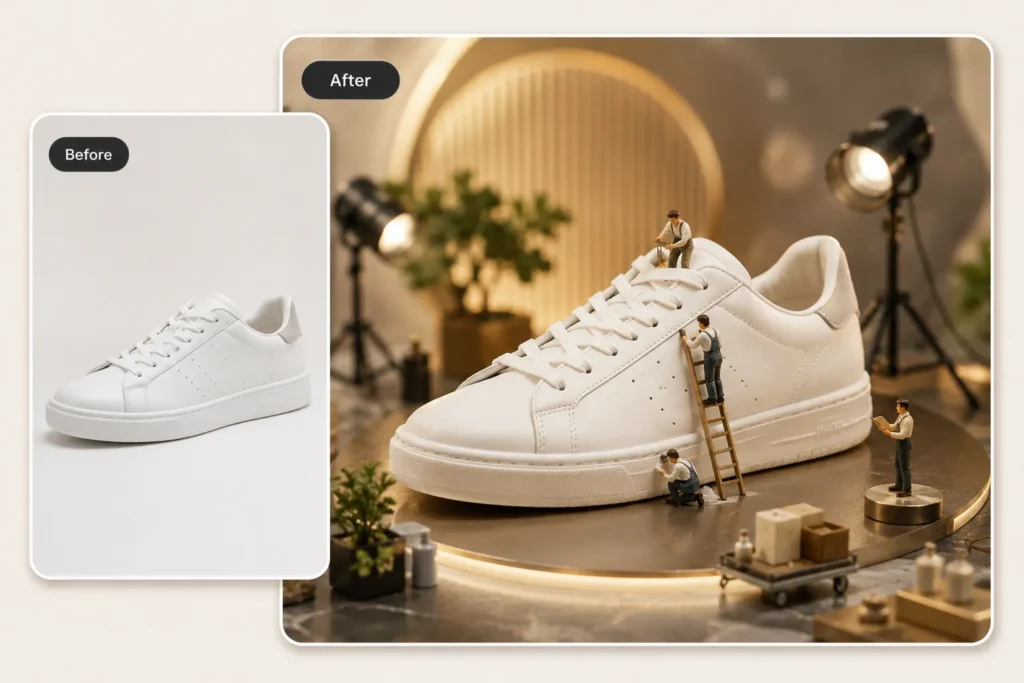
Best for: product photos, Etsy listings, handmade products, Instagram product posts, campaign concepts
Product photos are one of the most practical AI miniature use cases.
A plain product photo can become a playful ad scene with tiny workers, studio lights, tools, shelves, flowers, display platforms, or a miniature storefront.
Prompt to try:
Turn this product photo into a miniature product photography set.

Keep the product as the main hero. Add tiny workers cleaning, polishing, and inspecting the product with small ladders and tools. Add miniature studio lights, camera equipment, a clean display platform, and a few small props around the product.

Use warm gold ambient lighting, realistic contact shadows, shallow depth of field, cinematic bokeh background, premium commercial photography aesthetic, photorealistic details, and highly detailed miniature elements.
Small tip:
Use clean, unbranded product photos when possible.
Good product choices include:
- perfume bottles
- skincare bottles
- candles
- shoes
- bags
- stationery
- handmade products
- coffee cups
- dessert packaging
More AI Miniature Photo Ideas to Try
Once you understand the basic structure, you can remix the same idea into more tiny-world styles.
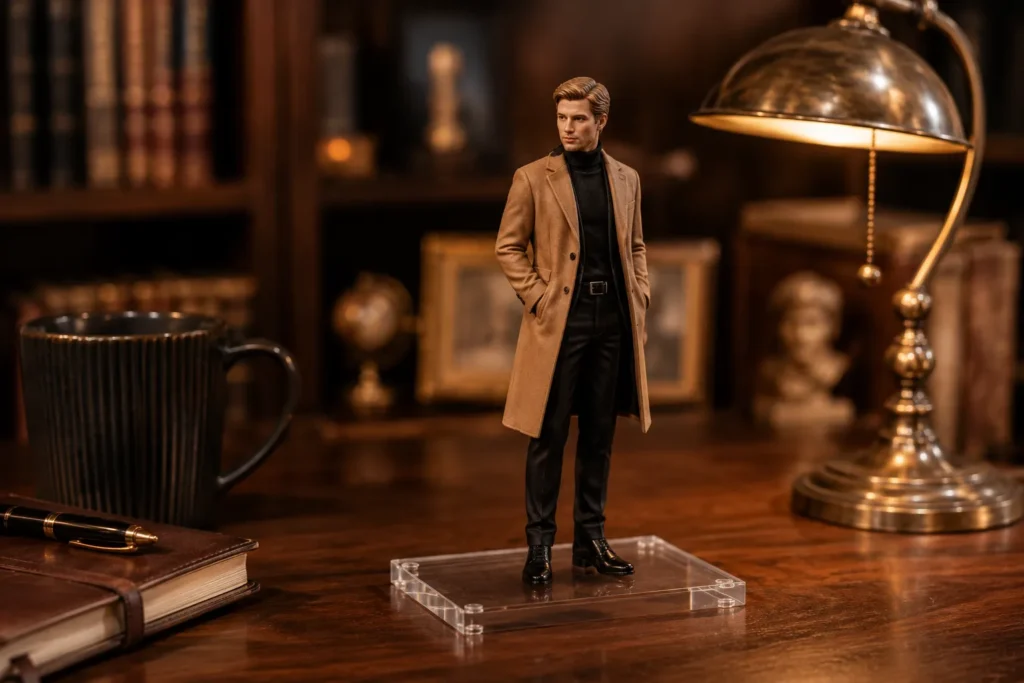
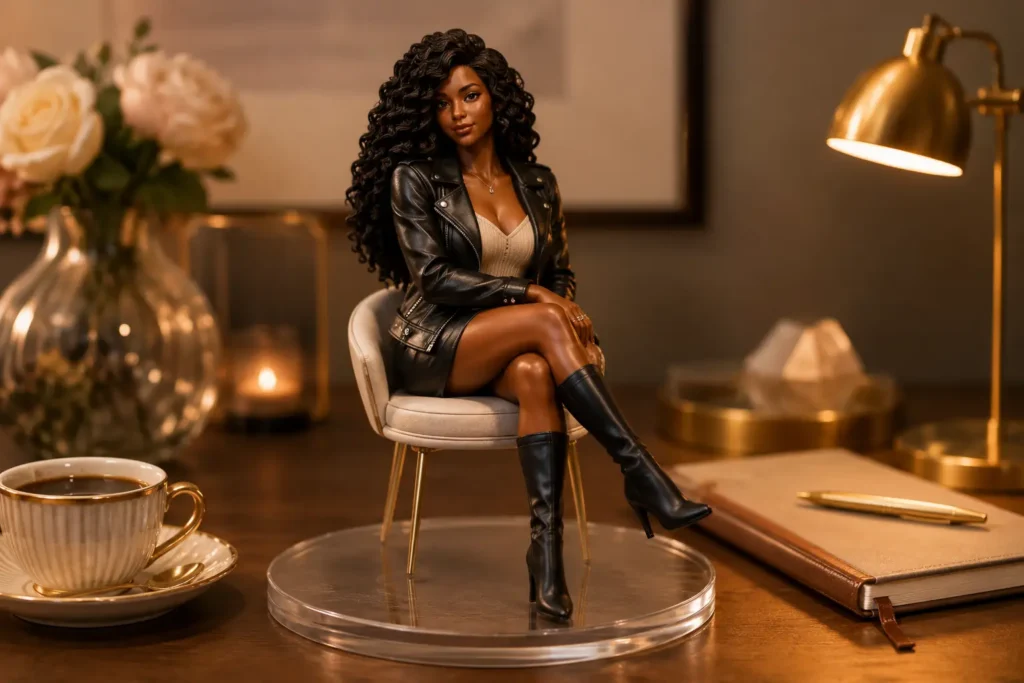
1/7 Scale Collectible Figurine
Use this for portraits, outfit photos, and creator profile images.
Add:
1/7 scale collectible figurine, acrylic display base, realistic plastic texture, premium toy photography
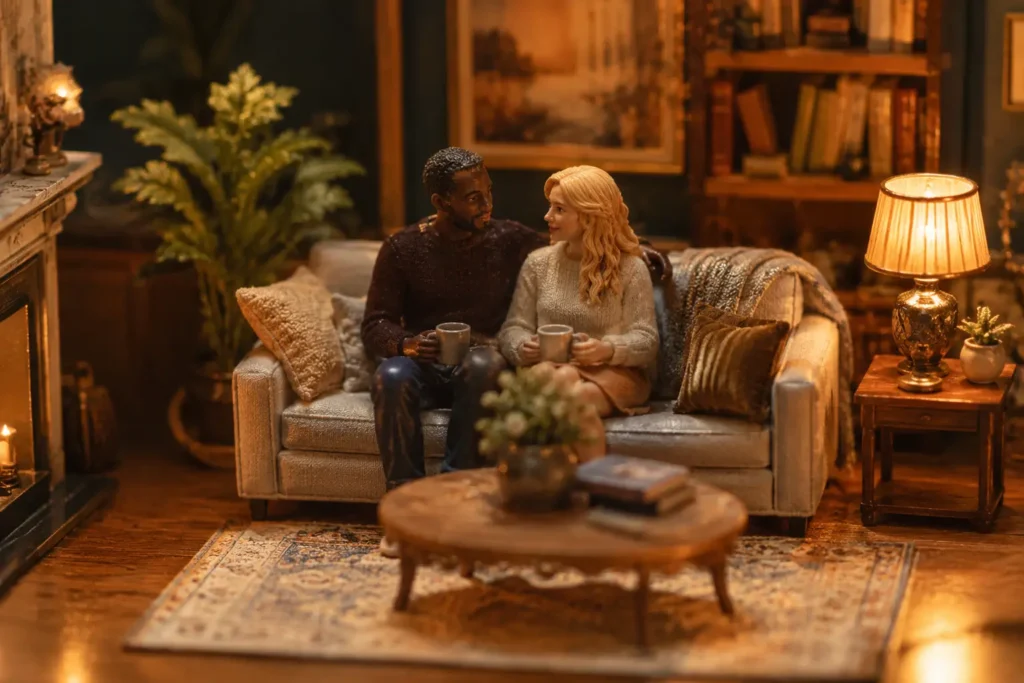
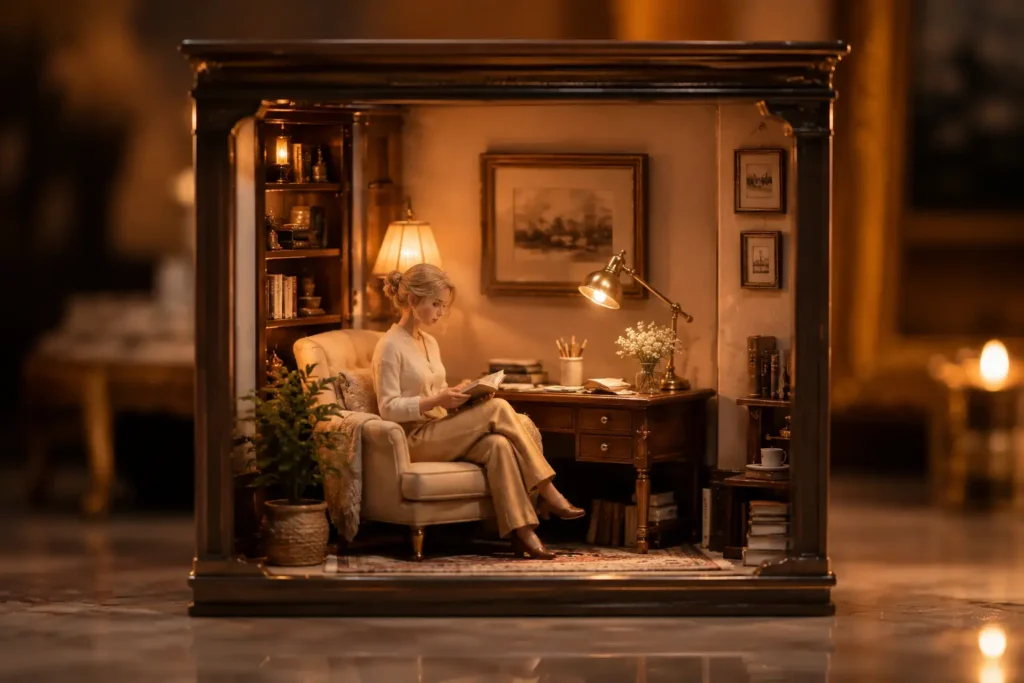
Chibi-Style Selfie Diorama
Use this for selfies, couple photos, pet photos, or cozy profile images.
Add:
chibi-style 3D mini character, toy-like proportions, pastel miniature room, cute handcrafted diorama
Product as a Pop-Up Store
Use this for perfume, skincare, drinks, desserts, makeup, candles, and bags.
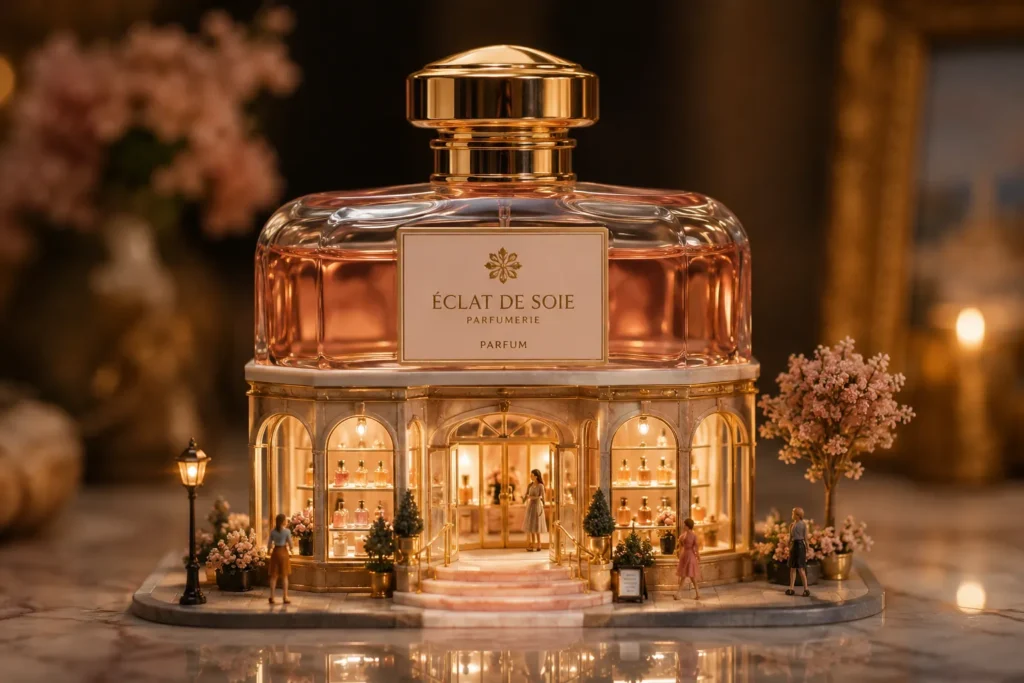
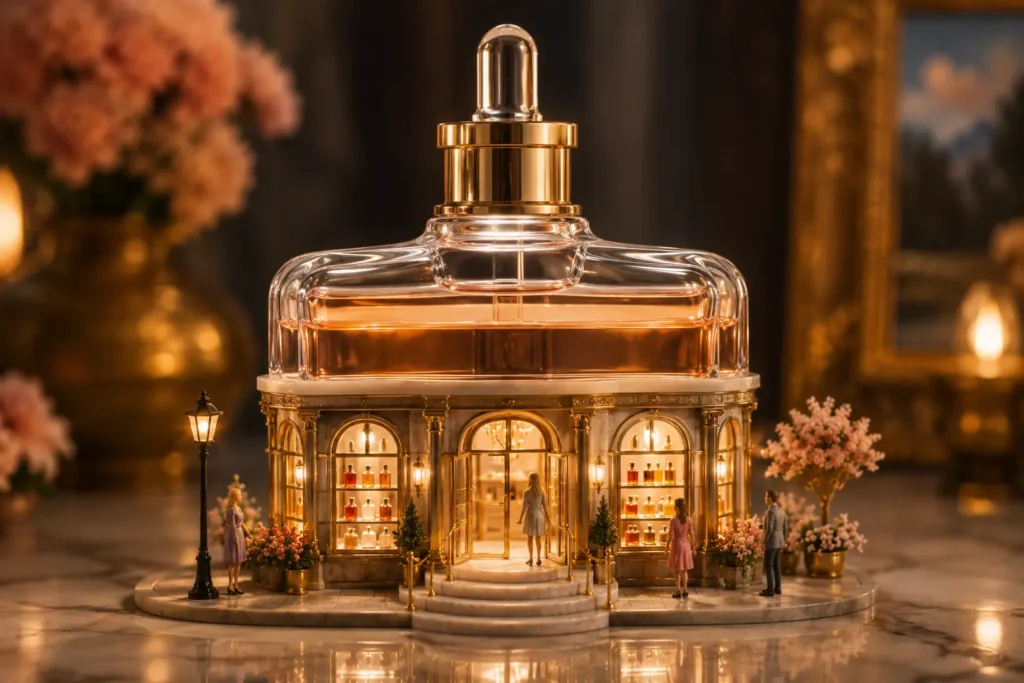
Add:
turn the product into a miniature pop-up store, keep the original product shape as the main building structure
Tiny Food Factory
Use this for cakes, fruit, ice cream, coffee, donuts, or bakery photos.
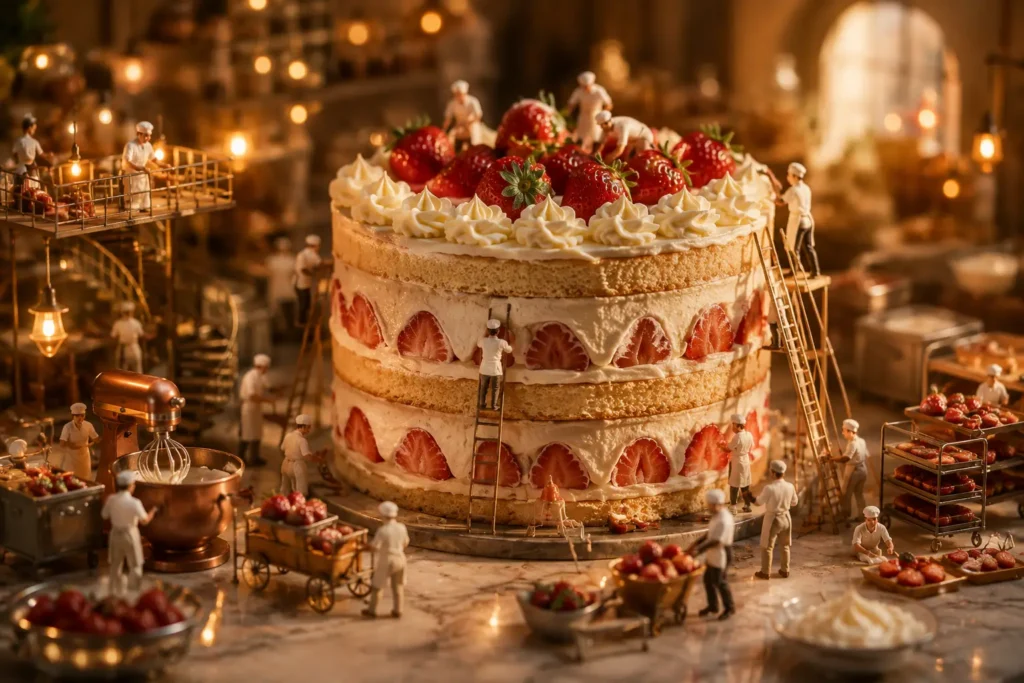
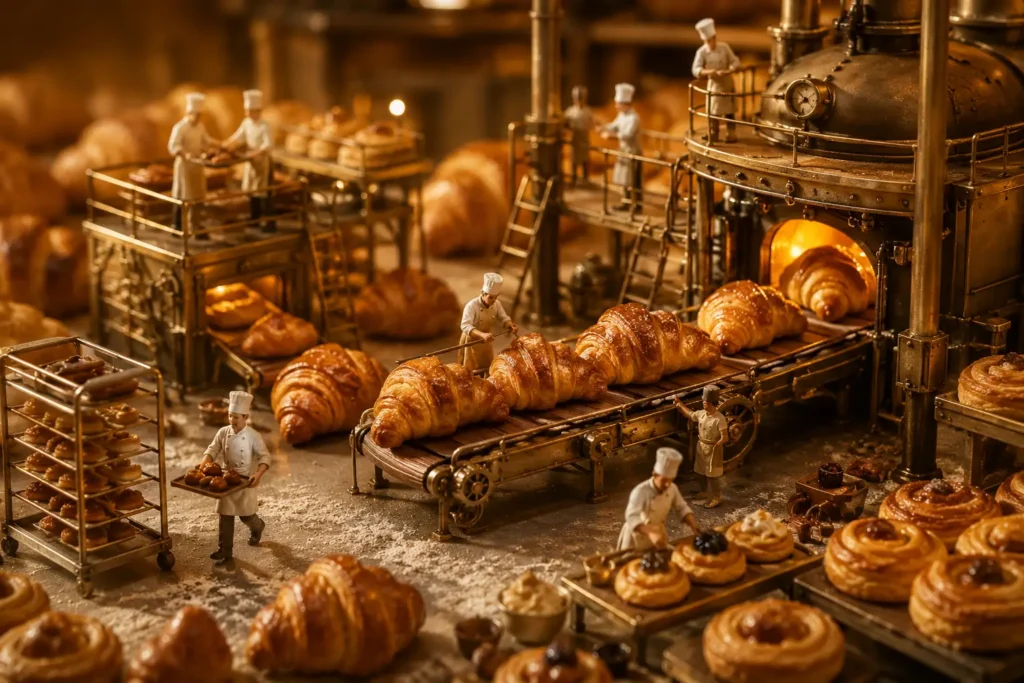
Add:
tiny food factory, small workers, miniature ladders, warm lights, detailed food textures
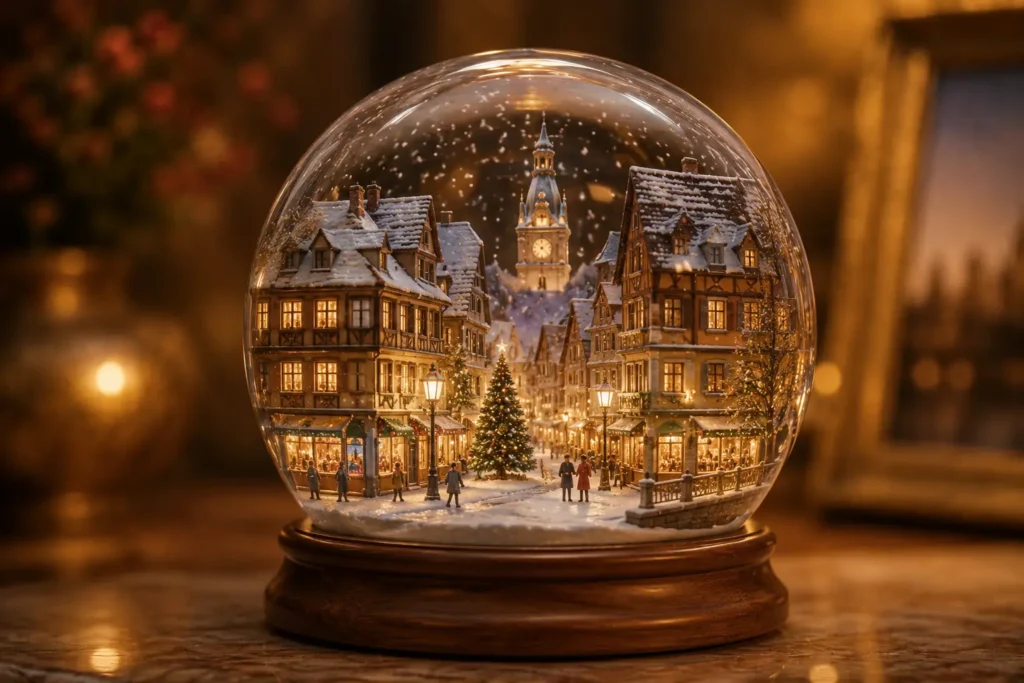
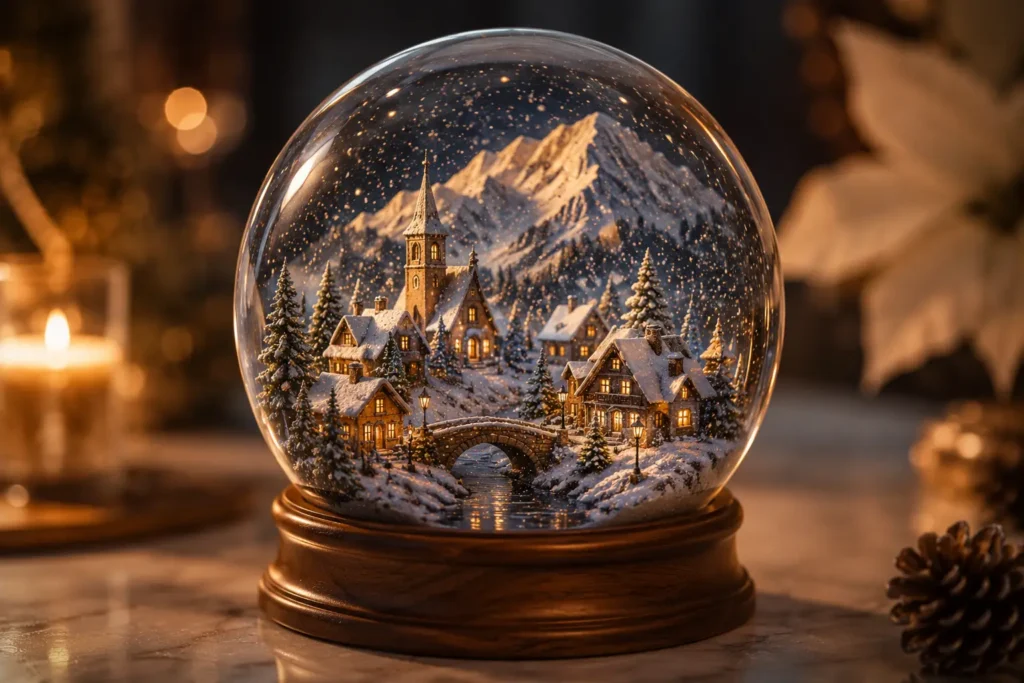
Travel Snow Globe
Use this for winter trips, city skylines, mountains, Christmas streets, castles, and landmarks.
Add:
miniature snow globe, falling snow, glass reflections, wooden base, warm travel keepsake style
Prompt Words That Make an AI Miniature Photo Look Real
The difference between a basic AI edit and a believable miniature scene often comes down to a few words.
| Prompt Word | Why It Helps |
|---|---|
| macro photography | Makes the scene feel physically tiny |
| shallow depth of field | Adds soft miniature-style blur |
| realistic contact shadows | Grounds the subject instead of making it float |
| cinematic bokeh | Creates a real lens effect |
| photorealistic miniature diorama | Keeps the result from looking too cartoonish |
| highly detailed textures | Helps wood, glass, fabric, food, and products look real |
| warm ambient lighting | Adds a cozy product-shot mood |
| preserve the original shape | Useful for products |
| keep the face recognizable | Useful for portraits and baby photos |
| transparent glass reflections | Useful for perfume bottles, terrariums, and glass scenes |
| simple composition | Prevents the scene from becoming too crowded |
My most-used phrase was:
macro photography, shallow depth of field, realistic contact shadows, cinematic bokeh, photorealistic miniature diorama
That phrase helped almost every prompt look more realistic.
How to Fix an AI Miniature Photo That Looks Fake?
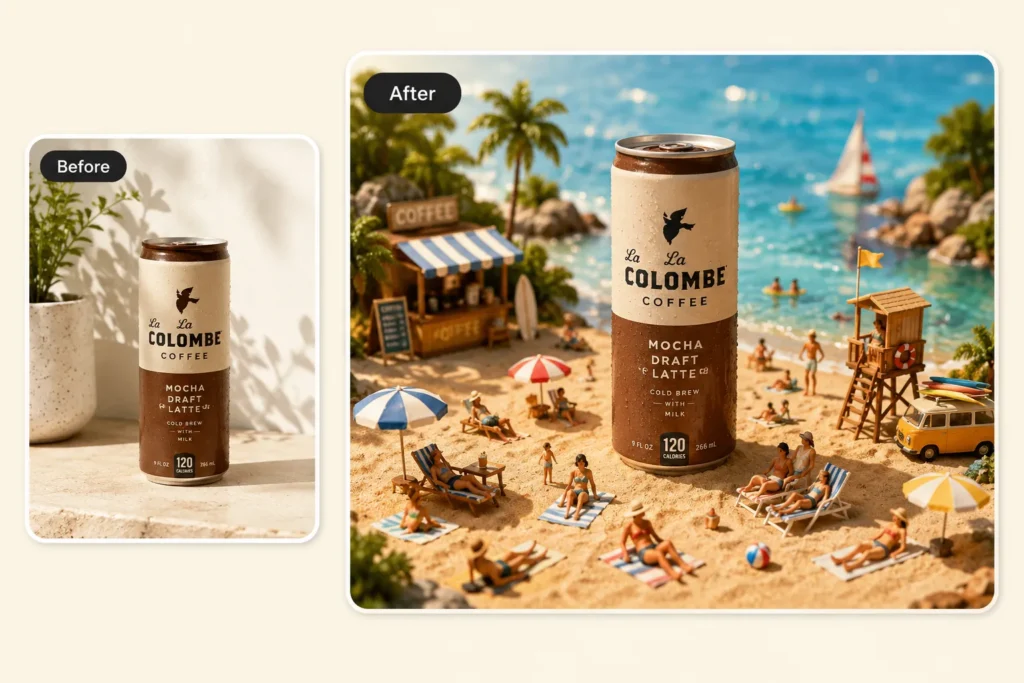
If your first result looks strange, do not throw away the whole idea.
Most problems can be fixed with a more specific prompt.
If the subject looks pasted on
Add:
realistic contact shadows, feet naturally touching the surface, consistent lighting direction
If the background looks flat
Add:
macro photography, shallow depth of field, soft cinematic bokeh background
If the face changes too much
Add:
keep the original face recognizable, preserve the hairstyle, expression, and outfit
If the product shape changes
Add:
preserve the original product shape, label placement, color, and material texture
If the scene feels too crowded
Add:
simple composition, one main subject, fewer props, clean background
If the video distorts the product
Put the most important restriction first:
Do not distort the bottle shape.
Then add:
Keep the product silhouette, label, material, and main structure unchanged.
Common Mistakes to Avoid
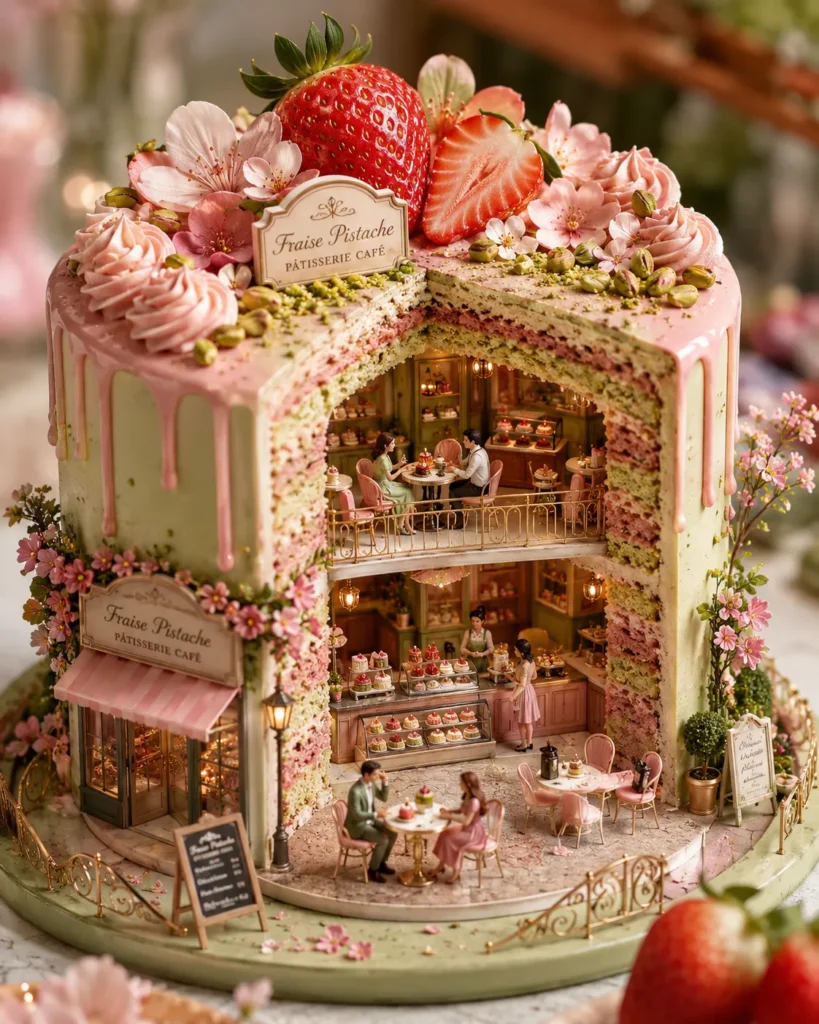
1. Using a Blurry Photo
If the original face or product is blurry, the AI has to guess too much.
A clear phone photo is usually enough. It does not need to be a professional shoot, but the main subject should be easy to see.
2. Adding Too Many Tiny People
Tiny people are fun, but too many can make the image messy.
For most miniature scenes, one to five tiny figures is enough.
3. Making the Prompt Too Crowded
Do not ask for a café, forest, city, train, dog, fireworks, fairy lights, and rain in the same image.
One strong idea usually works better.
4. Forgetting Shadows
Without contact shadows, the tiny subject may look pasted on.
Add “realistic contact shadows” whenever the subject touches a surface.
5. Choosing a Flat Image With No Depth
Miniature effects need scale.
Photos with a table, room, street, landscape, bottle, or product surface usually work better than flat screenshots.
6. Overanimating the Video
For image-to-video, too much motion can cause distortion.
Keep the product shape locked first. Then animate the small world around it with controlled motion, such as lights turning on, reflections moving, flowers swaying, tiny people walking, and a final hero shot.
FAQ About AI Miniature Photos
What is an AI miniature photo?
An AI miniature photo is an image that turns a normal photo into a tiny scene, such as a diorama, dollhouse, glass bottle world, collectible figurine, or miniature product set. The AI changes the scale, background, lighting, props, and shadows to make the subject look like part of a small physical world.
Can I use product photos for AI miniature images?
Yes. Product photos can become tiny ad scenes, pop-up stores, boutiques, labs, or miniature product sets. Clean, unbranded product photos usually work best because the AI can preserve the product shape more easily.
Can I turn an AI miniature photo into a video?
Yes. Use the finished miniature image as the starting frame, choose an image-to-video model, and add subtle motion. For product scenes, a slow camera push-in, golden light sweep, glowing windows, glass reflections, opening doors, flowers moving, fragrance particles, and tiny people walking can make the result feel more like a product commercial.
Final Thoughts
AI miniature photos work because they make ordinary images feel new again.
A portrait can become a tiny desk figurine. A coffee cup can become a café. A baby photo can become a moon cradle. A bedroom can become a dollhouse. A travel photo can become a glass-bottle world. A product photo can become a miniature boutique or short product video.
If you want to try it, start with one clear photo. Choose the miniature idea that naturally fits the subject. Keep the scene focused. Add realistic shadows, macro photography, and shallow depth of field.
Turning a photo into a physical keepsake works the same way. The AI fridge magnet guide covers a similar photo-to-object prompt approach.
And if the still image works, try turning it into a short video. Remember: for miniature video, lock the product shape first, then let the tiny world come alive.